

Ubuntu Agent
This is a reference guide to configure Wazuh to work with an ubuntu agent. I have Wazuh set up and running. After each modification, before testing to check if the changes are working or not, restart the wazuh-manager service on the Wazuh server or the wazuh-agent on the agent server/machine, whichever applicable.
File Integrity Monitoring
On the wazuh server /var/ossec/etc/ossec.conf
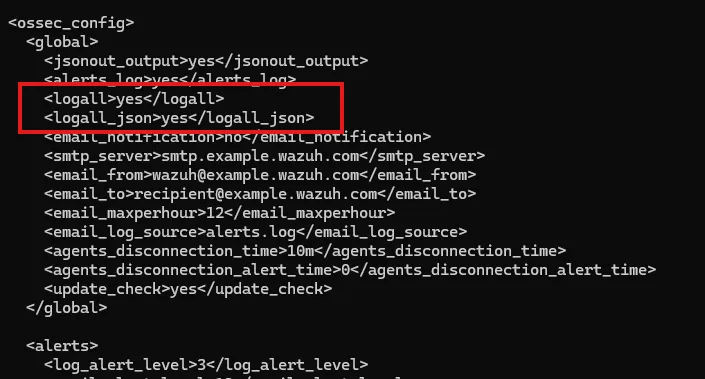
Restart the wazuh-manager service
On the wazuh agent /var/ossec/etc/ossec.conf
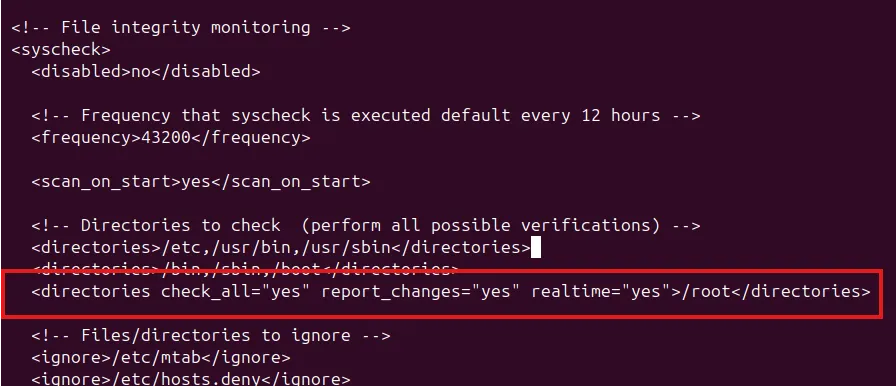
Restart the wazuh-agent service
After this, file creation or file modifications in the /root directory will log the data in Wazuh
Detecting network intrusion using Suricata
Installing Suricata IDS on ubuntu agent.
Fetch ruleset (includes the Emerging Threats freely available rules if no other rulesets are added)
sudo suricata-updateTo include other ruleset providers:
sudo suricata-update list-sourcessudo suricata-update enable-source [source/name]/etc/suricata/suricata.conf
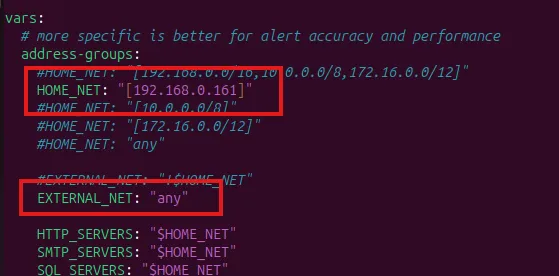
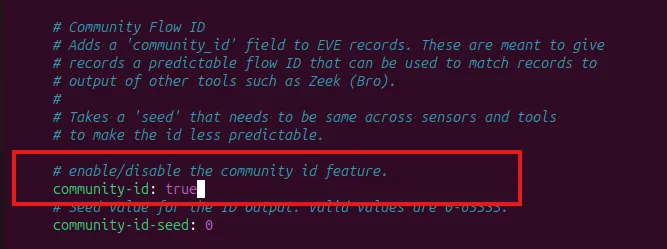
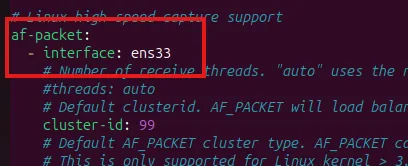
Enable live reload
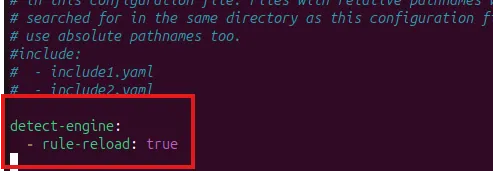
To validate Suricata config (-T for test)
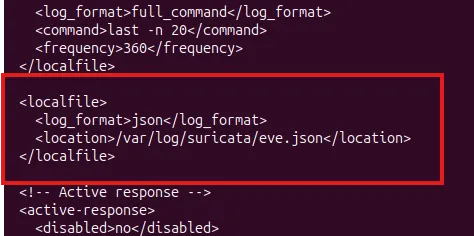
sudo suricata -T -c /etc/suricata/suricata.yaml -vAdd suricata log file to wazuh:
/var/ossec/etc/ossec.conf
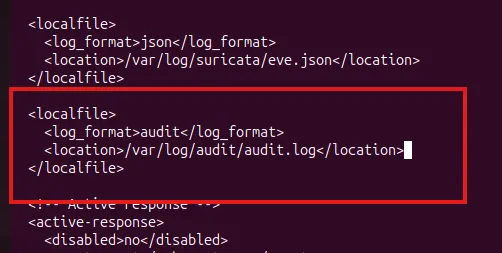
Detecting execution of malicious commands
Install Linux auditing tool Auditd on the agent
apt install -y auditd/var/ossec/etc/ossec.conf
/etc/audit/audit.rules
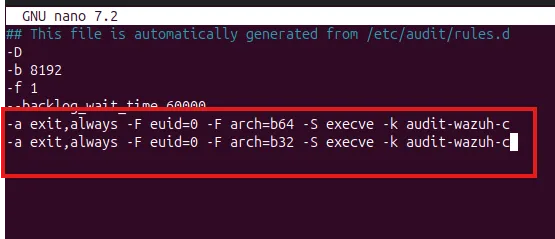
Reload audit rules:
auditctl -R /etc/audit/audit.rulesDetect & block SSH brute force
Wazuh has in-built SSH detection rules.
Wazuh Active Response can be configured to create firewall rules. We can configure active response to execute a script when the SSH rule gets triggered. The firewall-drop is a script that drops such brute force traffic .
On the wazuh server /var/ossec/etc/ossec.conf
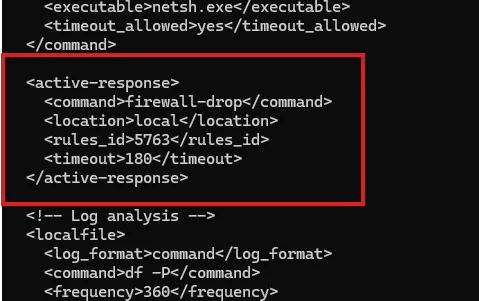
The rules_id is 5763 for SSH brute force attacks (replace with relevant rule ID). When the rule is triggered, active response action will kick in.
The scripts for Active response functions can be found in /var/ossec/active-response/bin/
Detect malicious files - VirusTotal
Adding two custom local rules with ID 100200 to detect file modification and ID 100201 to detect file addition in the /root directory. Rule ID 550 & 554 are the associated rule ID’s for this purpose.
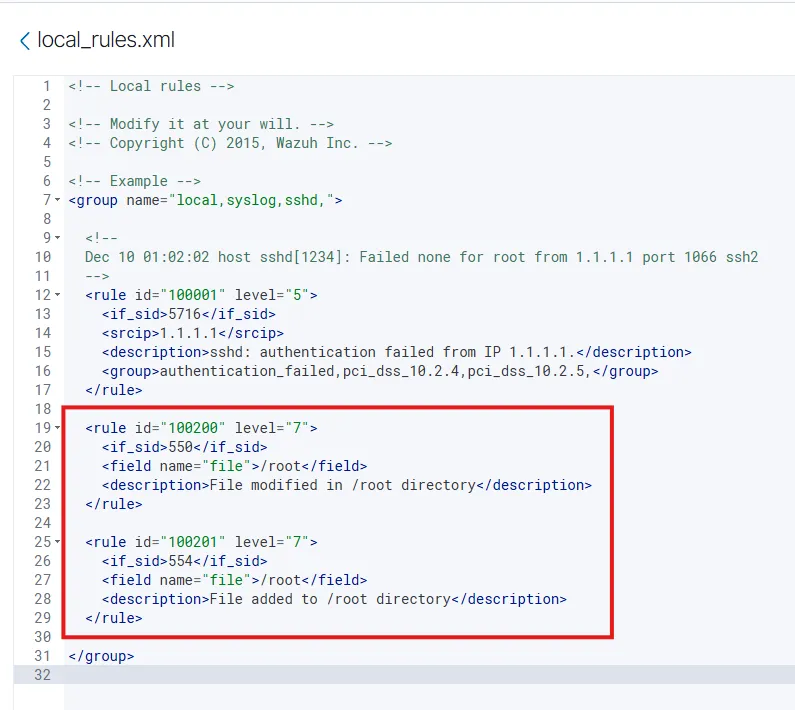
To add VirusTotal API Key:
On wazuh server /var/ossec/etc/ossec.conf
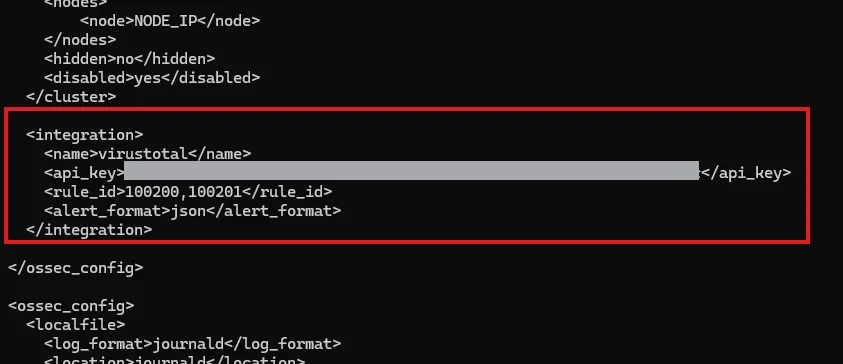
Can be tested with downloading the EICAR file on /root which then triggered a VirusTotal alert on Wazuh.