

Investigate - RDP Brute Force
Objective:
- Learn to investigate RDP Brute force alerts
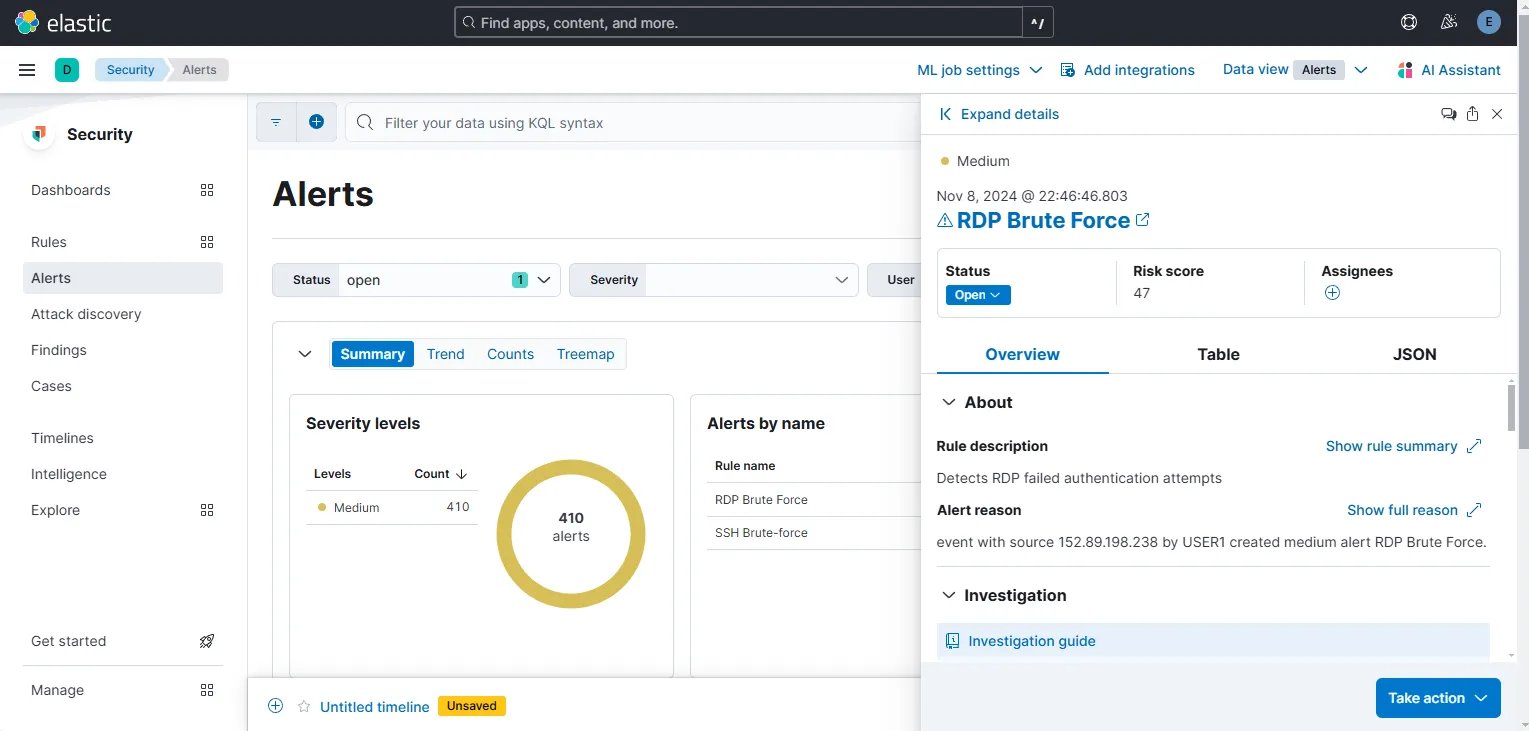
On my Alerts page, I can see a recent RDP Brute Force alert generated among 410 other alerts generated over the last 7 days.
Create tickets from alerts
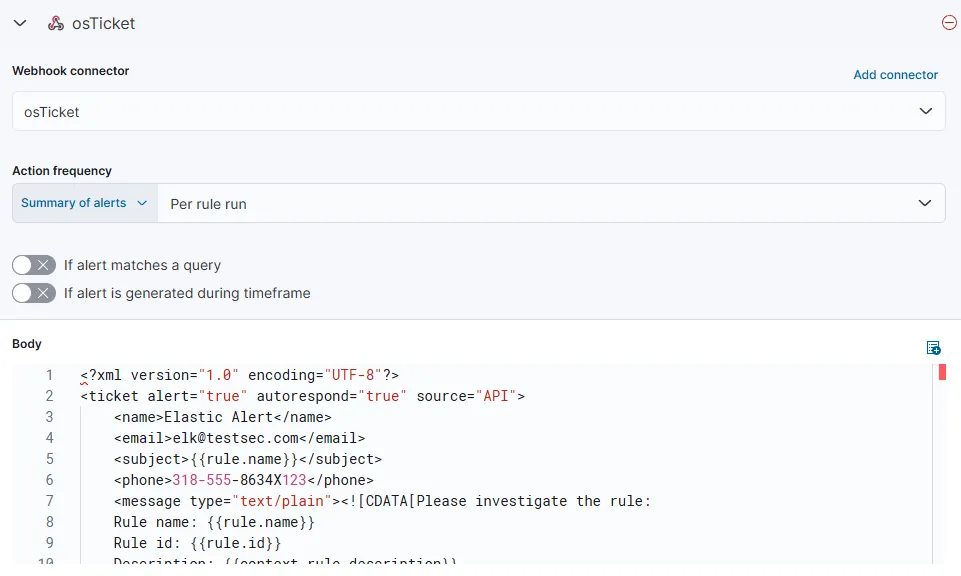
Let’s select our RDP Brute Force rule and from the actions tab select webhook. I am using the same XML message I used earlier for the SSH Brute force ticket generation.
Investigate IP
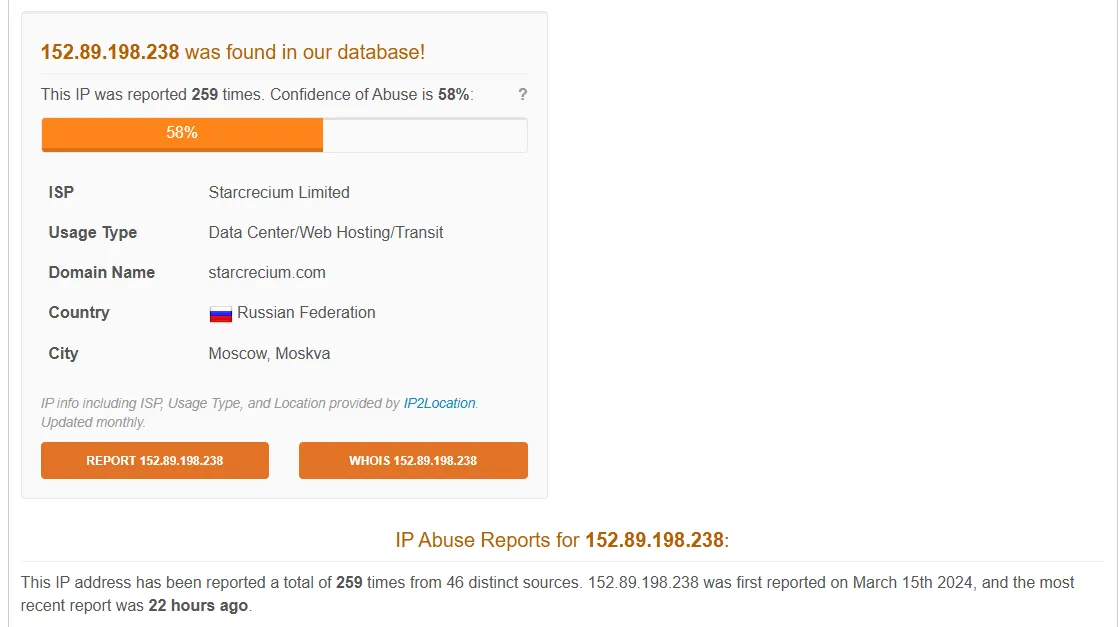
AbuseIPDB results:
Greynoise results:
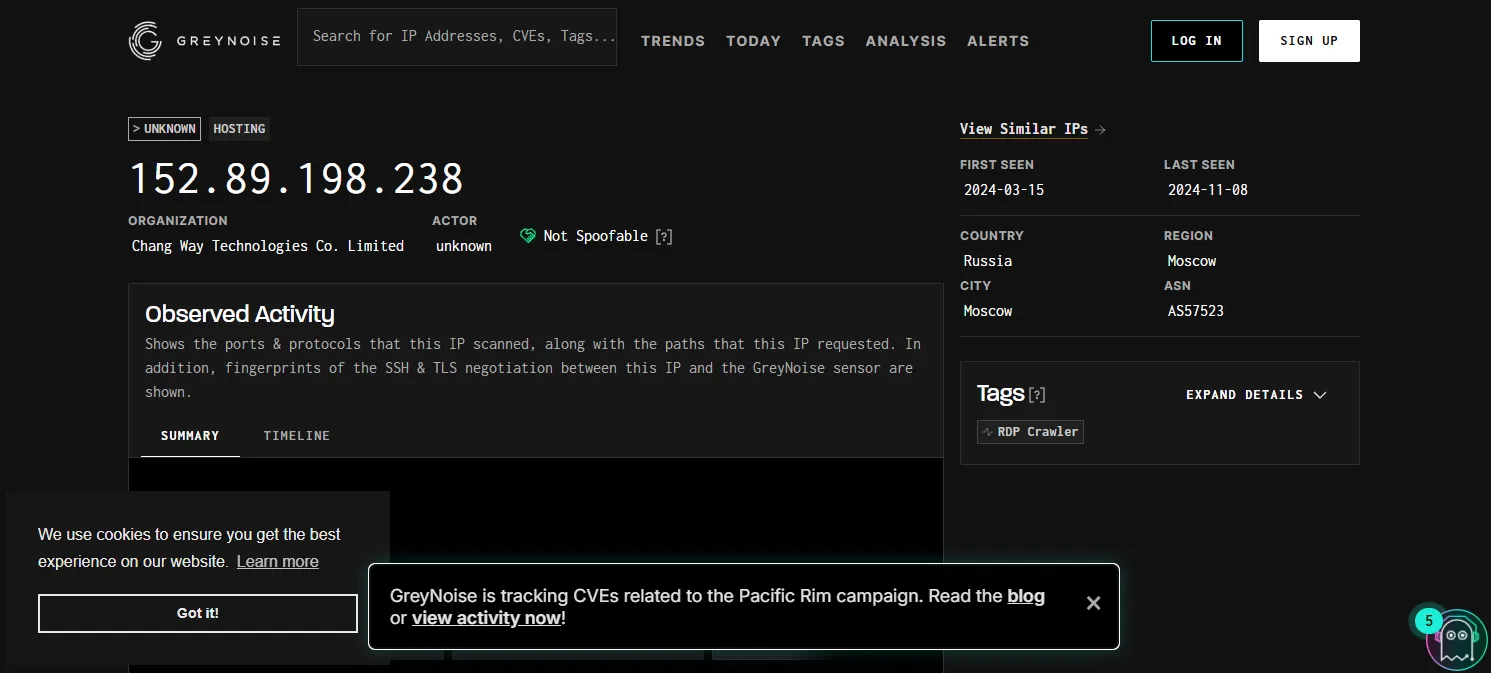
From the results we can reach the conclusion that this IP is indeed involved in RDP Brute force activity reported by various sources.
When searched from the Discover page, I found 2955 records involving this IP performing brute force activity on my windows server.
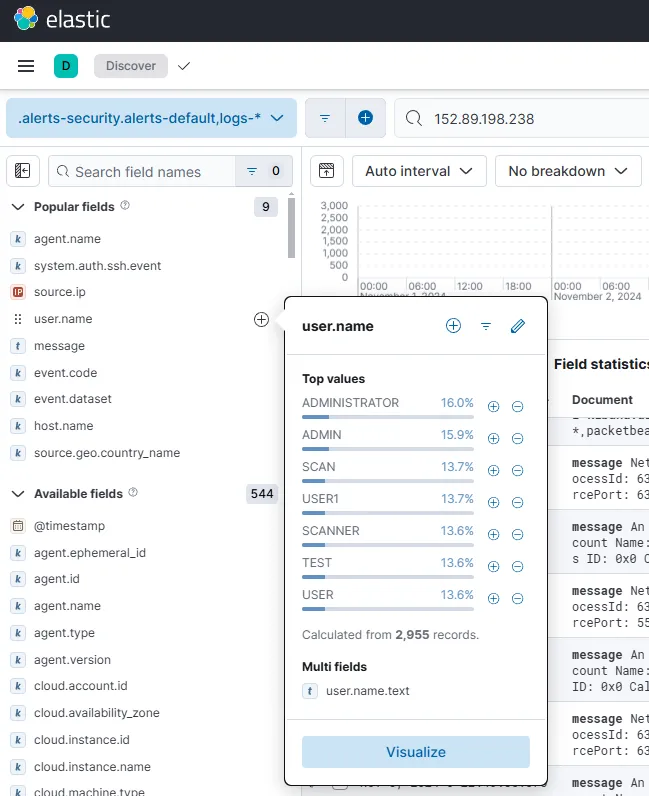
From the user.name values, I can see that 7 usernames are used by this bruteforcer.
To find out whether a successful logon has happened, I can search for Windows Event ID 4624.
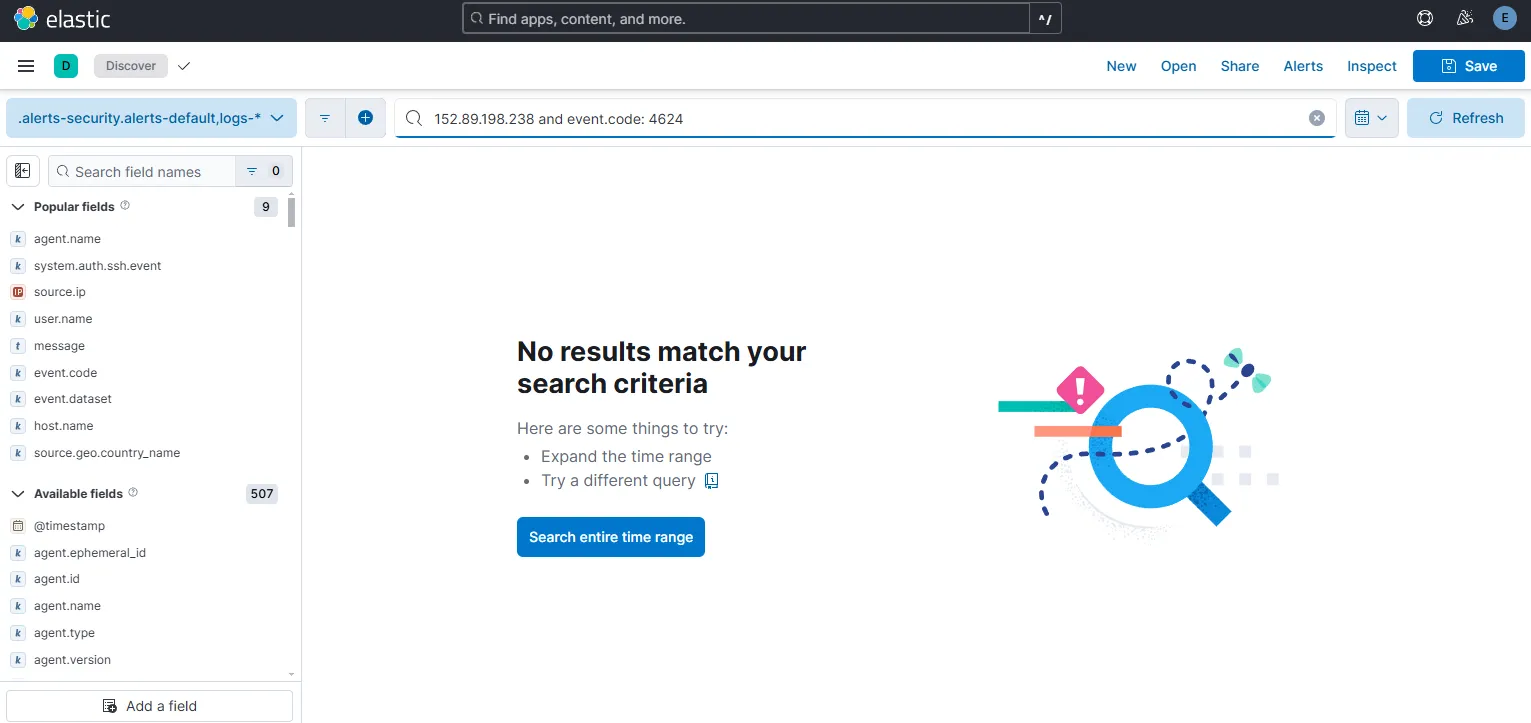
There are no successful logon records. Hence, no further activity is recorded from the IP.
If there were an IP able to get a successful login, I would have to investigate the start and end time of the whole attack, with gaining insights into the workings of the adversary by following the chain of events.