

osTicket + ELK Integration
To connect osTicket with my ELK stack, I’ll be generating an API key.
Create an API Key
From osTicket staff control panel(logged in):
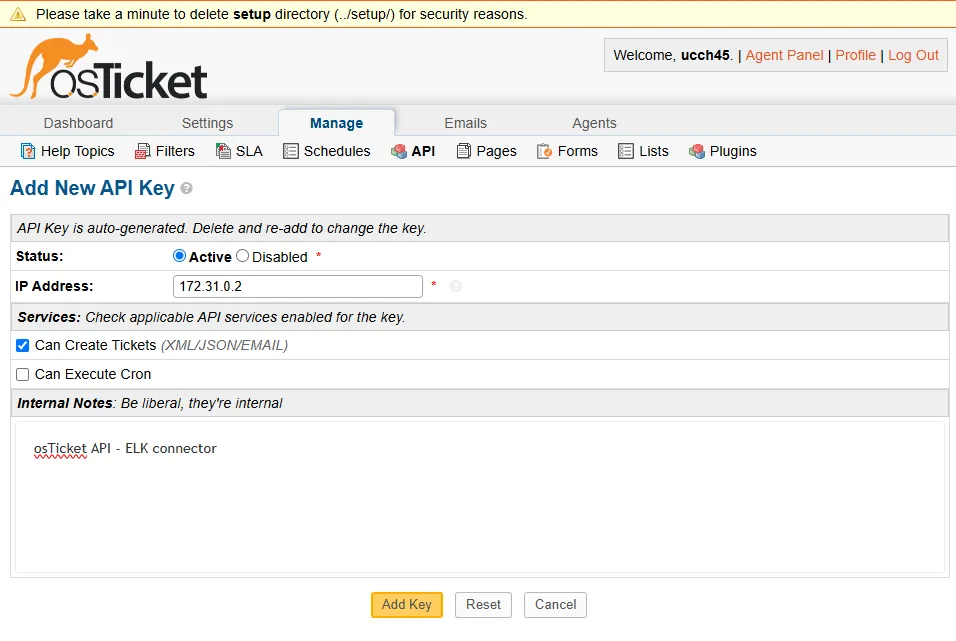
Admin Panel > Manage > API > Add new API Key
Since the osTicket server is in the same network soc-elk with the ELK server, I am adding the internal IP address of my ELK server instance. Enable Can Create Tickets checkmark and add a note for reference.
After clicking Add Key, I get the API key I want.
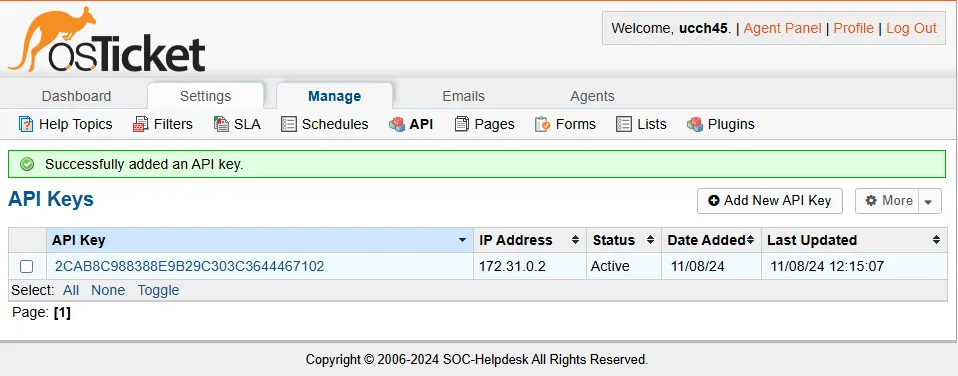
Integrate with Elastic
On my Elastic Web GUI:
Under Management > Stack Management > Under Alerts and Insights > Connectors
To create my first connector, I first need to upgrade my license from basic to a trial license.
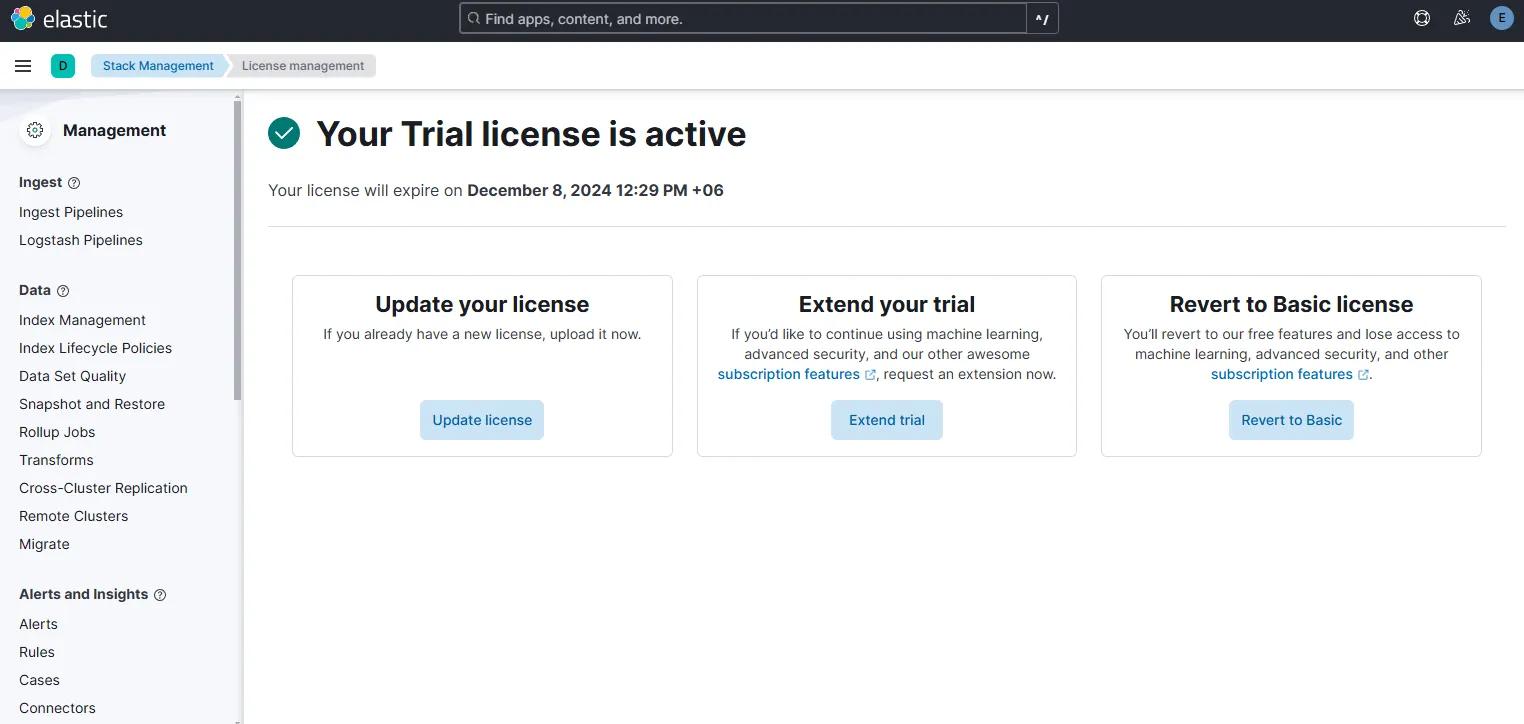
Now I can integrate 3rd party APIs and do integrations. I am also able to isolate a host if I want using Elastic Defend, which is Elastic’s EDR. But for now, let’s go ahead with the integration.
Under Connectors > Create connector, let’s select Webhook.
Let’s name the connector. The method will be a POST method with URL http://172.31.0.4/osticket/upload/api/tickets.xml. Here 172.31.0.4 is our osTicket internal IP address. Selection no authentication and adding in the header the API Key with key name as X-API-Key.
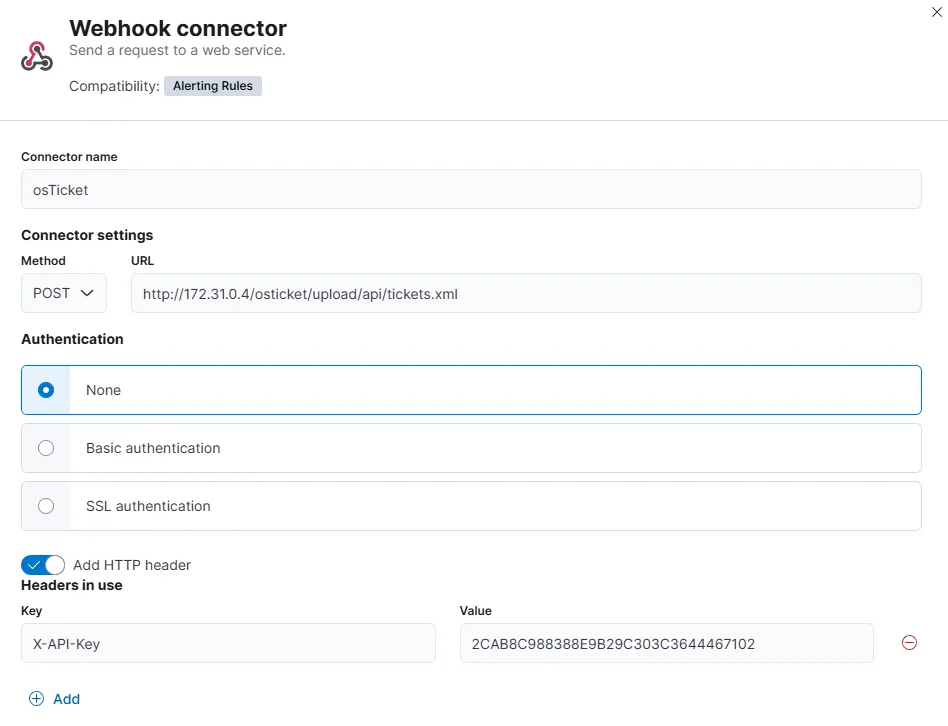
Once clicked Save and test, I am prompted to create an action. I’ll be using the format specified in the XML payload example from the osTicket GitHub Docs.
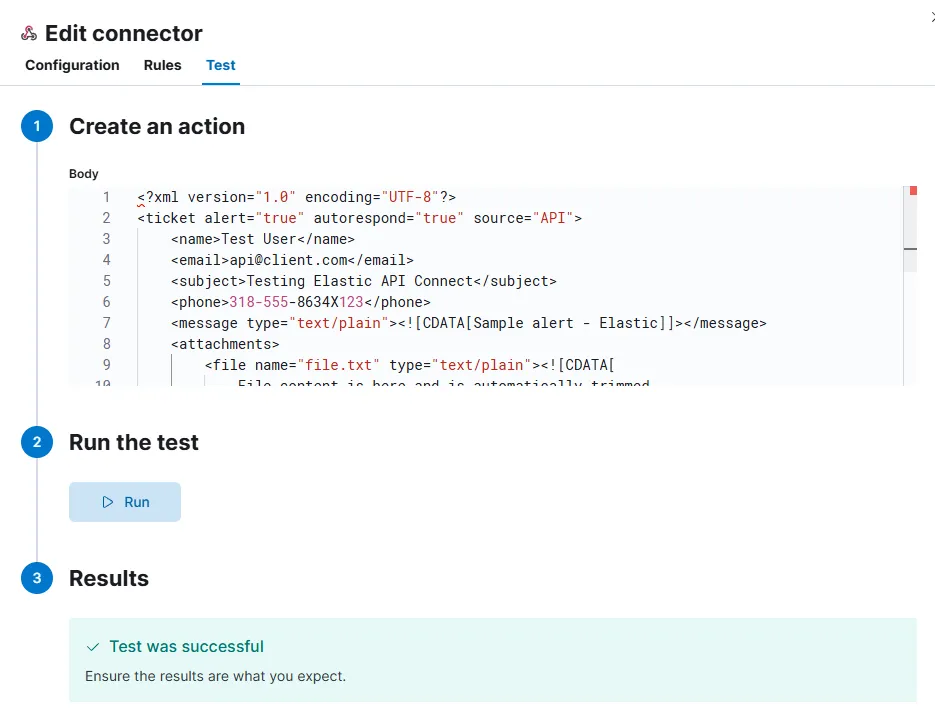
After the test is successful, I go to my osTicket Agent Panel.

Here I see that my test ticket has been posted successfully. This means that our osTicket API Webhook is now working. Now we can automate to forward the Elastic generated alerts as tickets to our osTicket server i.e. osTicket has been integrated with ELK. By having a ticketing system like this, my SOC setup is now fulfilling one of the A’s in AAA, which is Accounting/Auditing.
With the osTicket integration with ELK configured, I now have set up a fully functioning little SOC environment of my own. Next, I’ll start investigation of SSH/RDP brute force events happening within the environment.