

Alerts and Dashboards 2
Objective:
- Observe authentication logs from Windows server and create an alert
Search for RDP failed events
To filter out the events of interest, we need to first identify what we want. Our sources of interest shall be failed login attempts, source IPs, and usernames. As I did for the SSH alerts, here I will start by filtering out our machine and the field names that contain our data.
I have added agent.name: windows-server to filter logs only from the windows machine. Event ID 4625 is the event id for failed login attempts. The event ID lies under the event.code field. I query for event.code: 4625. I also add the source.ip and user.name fields to show in our search results.
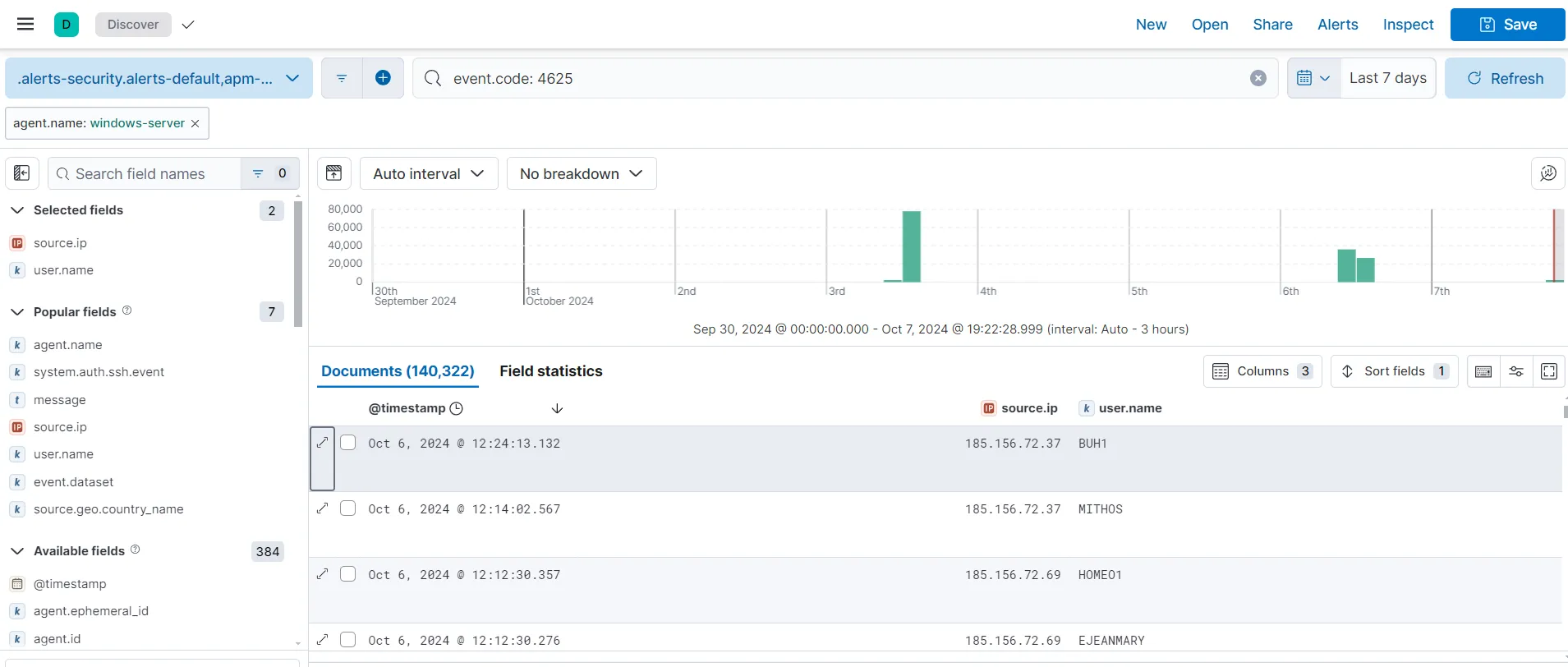
Finally, I save my search with name RDP failed without storing the time. I am getting records of 140,322 failed login attempts in the last 7 days towards our RDP exposed Windows machine. This means that we must have had a lot of interesting brute force activity going on.
Create alert
Alerts > Create search threshold rule
I am naming my rule RDP Brute Force attempts with setting the alert for above 5 counts for the last 5 minutes and to check for it every minute. Using no actions here as well. After saving, the rule is created.
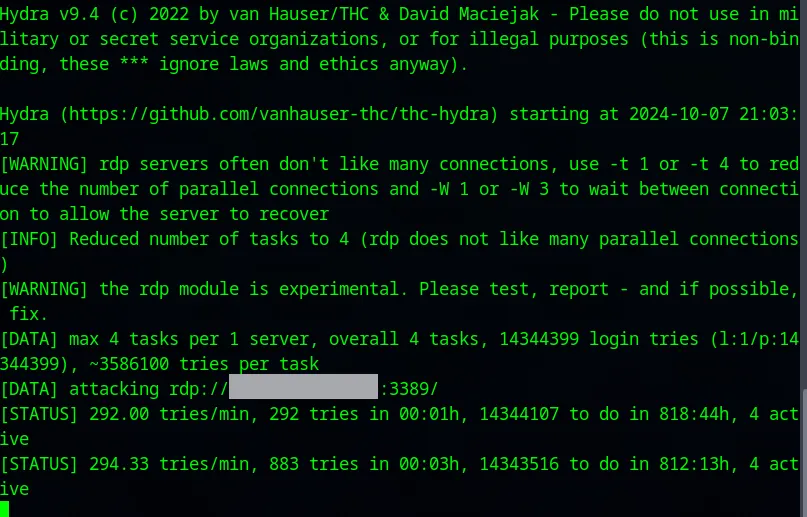
To check the alert, I have started a RDP brute force attack on the Windows machine. After a while, a see an alert generated under
upper-left corner hamburger menu > Under Management > Stack Management > Under Alerts and Insights > Alerts
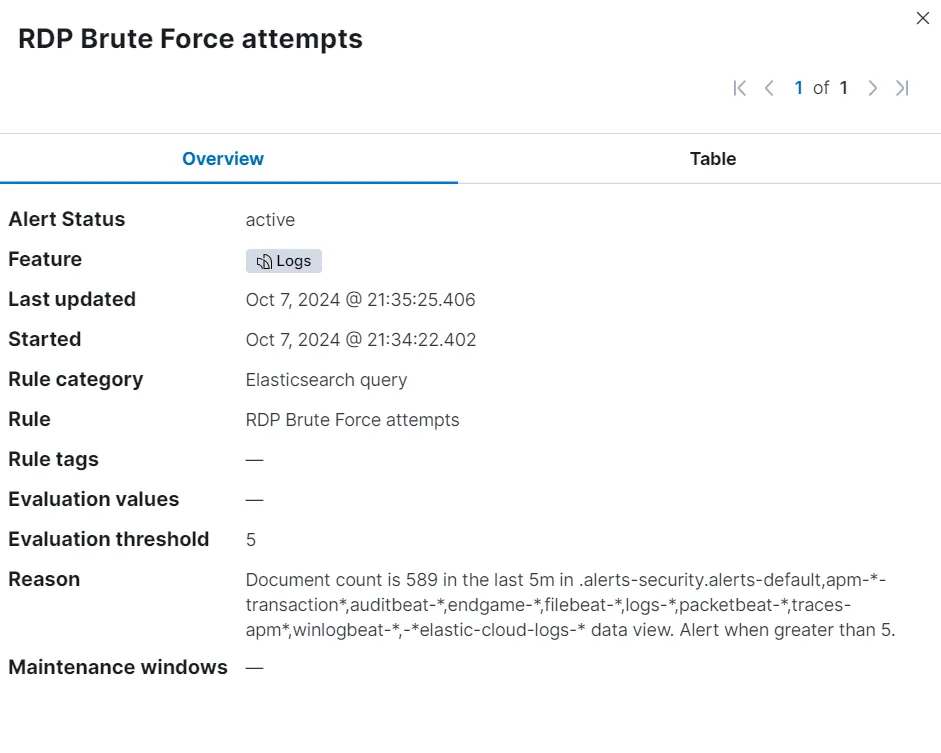
While the alert was generated, upon opening the details of the alert, I am not able to retain much information from it. To make an useful alert, I will now go and create detection rules for myself which will provide me with more information.
Create detection rules
Let’s go to
upper-left corner hamburger menu > Under Security > Rules > Detection rules (SIEM) > Create new rule
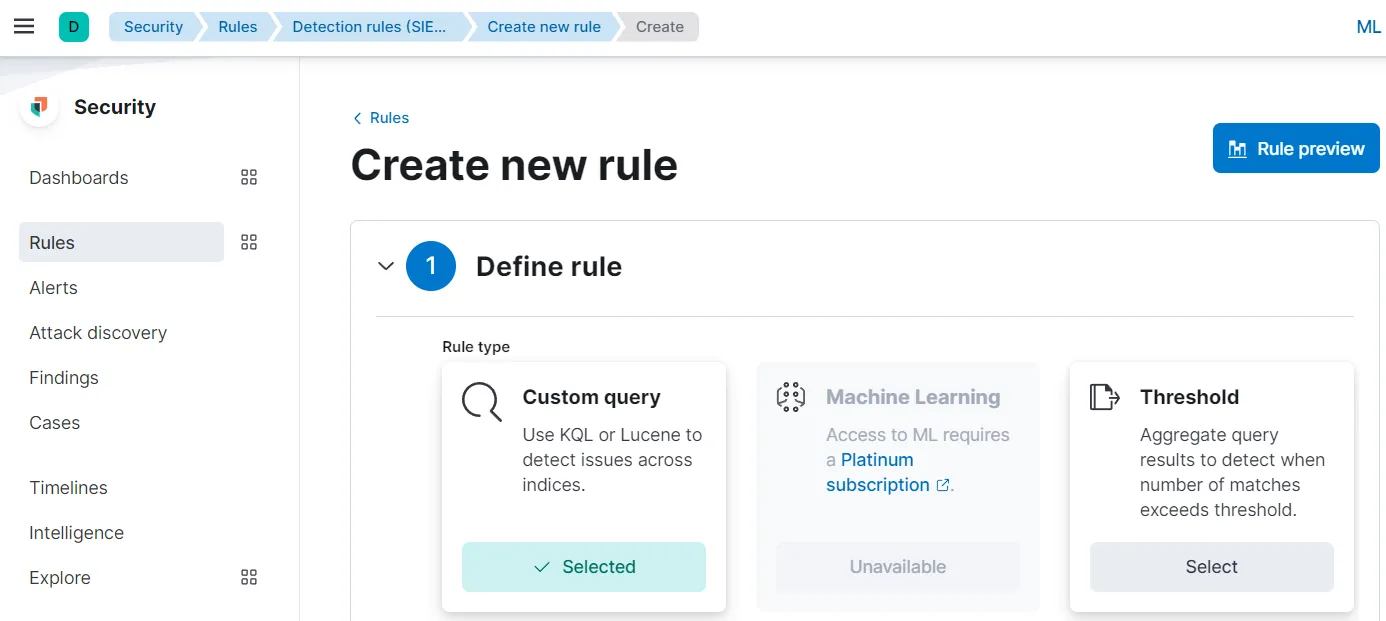
I am using Threshold to build the rule.
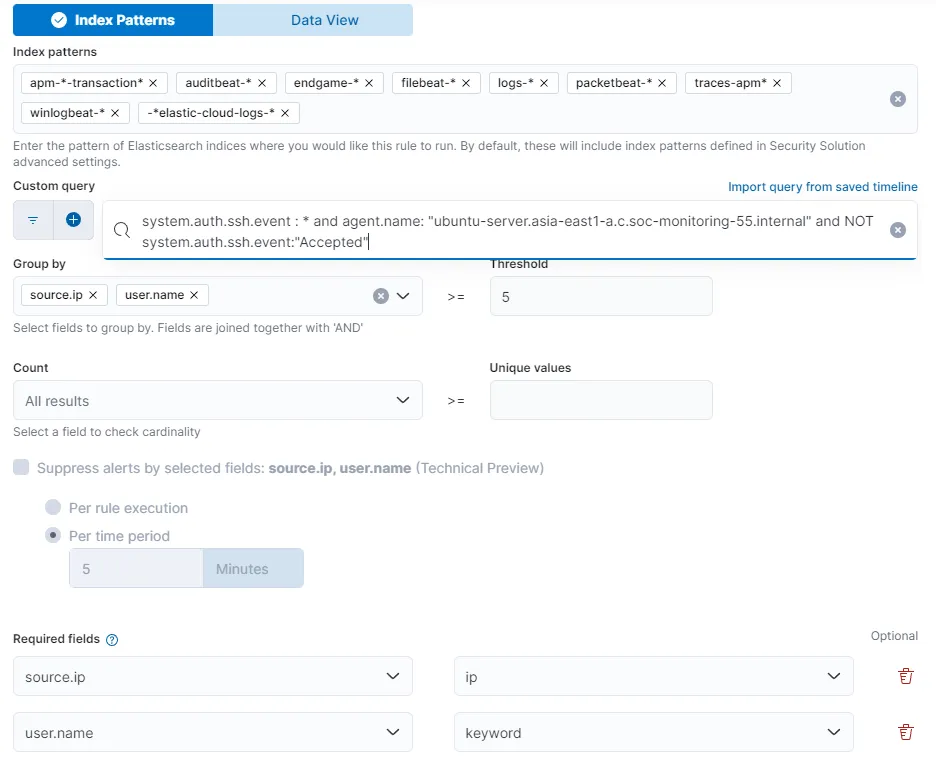
I am using the query I used earlier to create the alert SSH Brute Force attempts. Group by source.ip and user.name with Threshold of 5. I also included required fields source.ip and user.name.
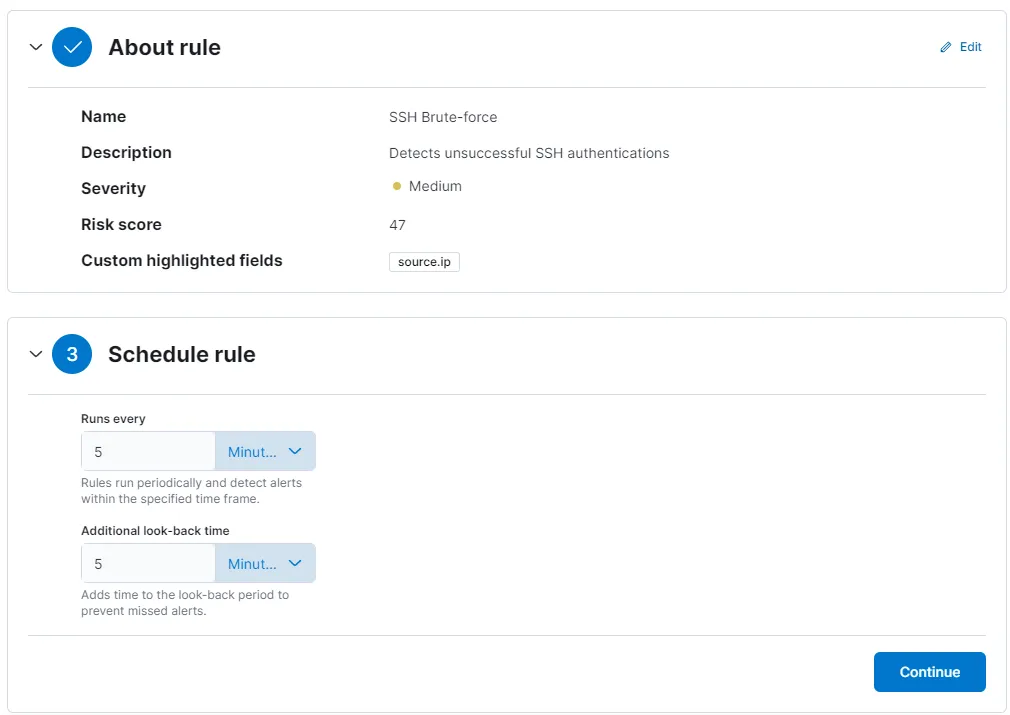
I am setting the rule severity as Medium and I have highlighted the field source.ip in the About rule section. Scheduling the rule to run every 5 minutes and to check back also every 5 minutes. I’ll keep Actions as it is and create and enable the rule.
For the RDP detection rule:
event.code: 4625 and agent.name: "windows-server"I do the same steps to create another rule to detect RDP brute force attempts, only setting the rule to run every 1 minute instead of 5 while scheduling the rule. After rule creation, I have two rules named SSH Brute Force and RDP Brute Force.
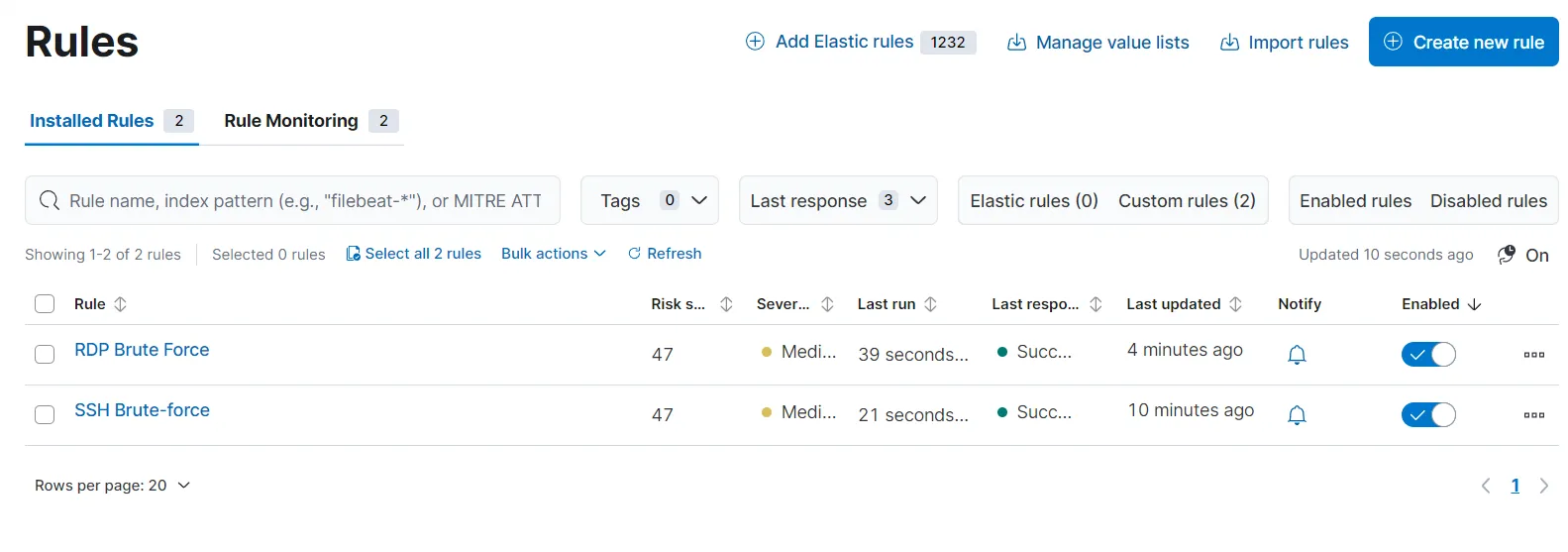
To test out this rule, I am going to attack my Windows server again on port 3389 using hydra. After a while, it is showing me several alerts under the Alerts section.
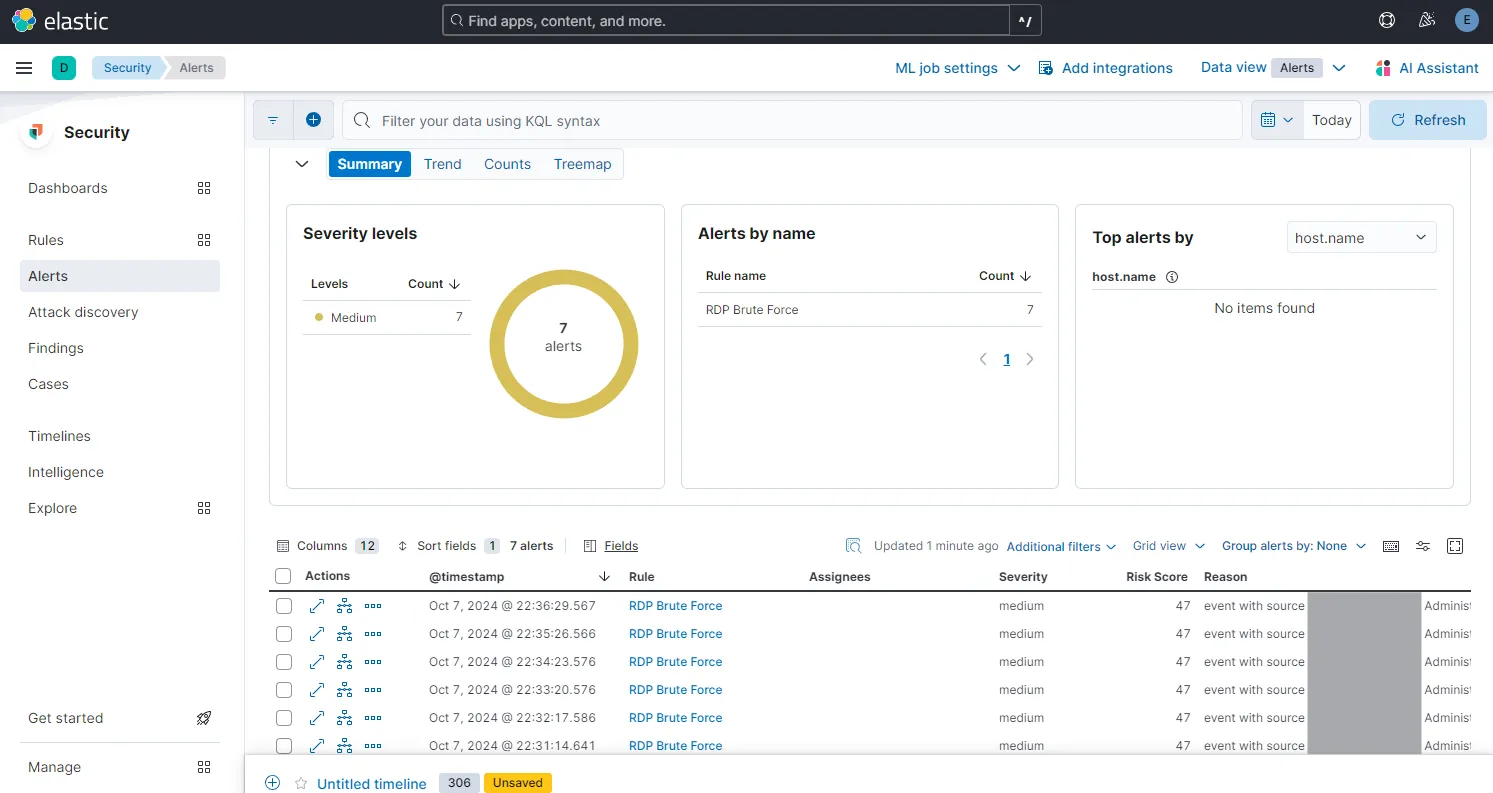
When I expand the details of an alert, I can now see extensive details with relevant information about the attack.
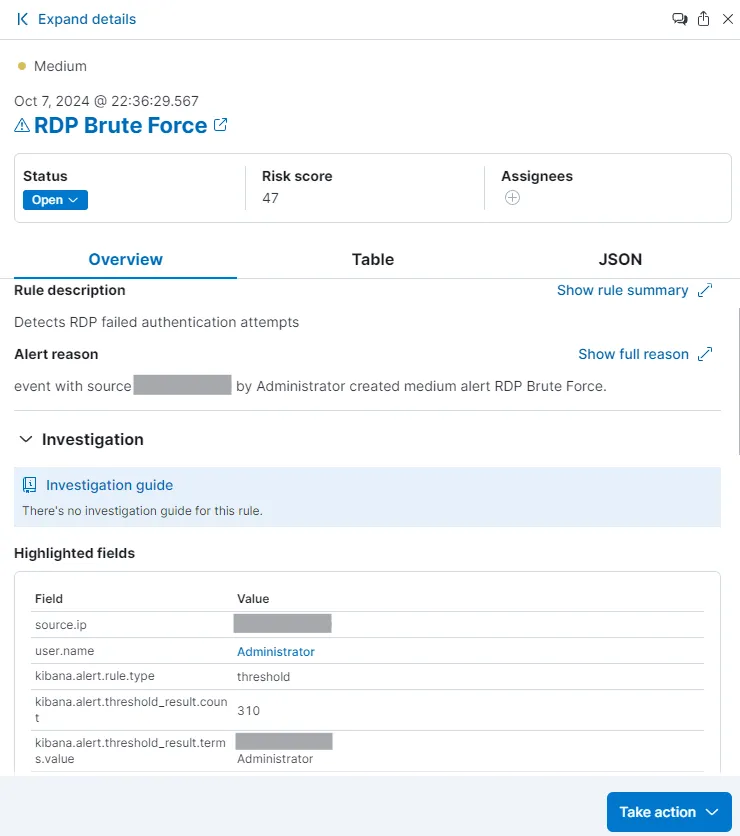
I have now successfully set up brute force alerts for our Windows and Ubuntu machines