

RDP Intro
Objective:
- Learn about RDP
- Why it is used
- How attackers abuse it
- How to find endpoints with exposed RDP
- How you can protect yourself
Remote Desktop Protocol
Used for communication between the terminal server and the terminal server client. Works over TCP 3389 (Default). RDP allows authorized users to connect remotely to another machine.
Why is it used?
With the RDP protocol, users can remotely connect to the endpoints to resolve or work out problems without physically going to the office or wherever the endpoint is located at. Being able to connect remotely allows one to:
- Save time
- Make it accessible
- Make it convenient
But with accessibility and convenience, comes risks. Attackers often try to abuse this protocol. In fact, according to Sophos, over 90% of ransomware breaches involved RDP abuse.
How RDP gets abused?
An exposed RDP service from a server(production/development servers) is a common way an adversary can gain access into an organization’s environment. They can try to authenticate using brute force, or even with credentials they might have phished before.
Once an attacker gets into the environment, based on the level of access they can gain, they can start performing credential dumping to gather valid credentials found on that server. They can then use these credentials to move laterally within the same network using RDP.
By doing these steps iteratively, adversaries get closer to gaining the actions on objectives which could be data exfiltration, deployment of ransomware or even both.
How to find exposed RDP servers on the internet?
Shodan
Let’s head over to shodan.io and login.
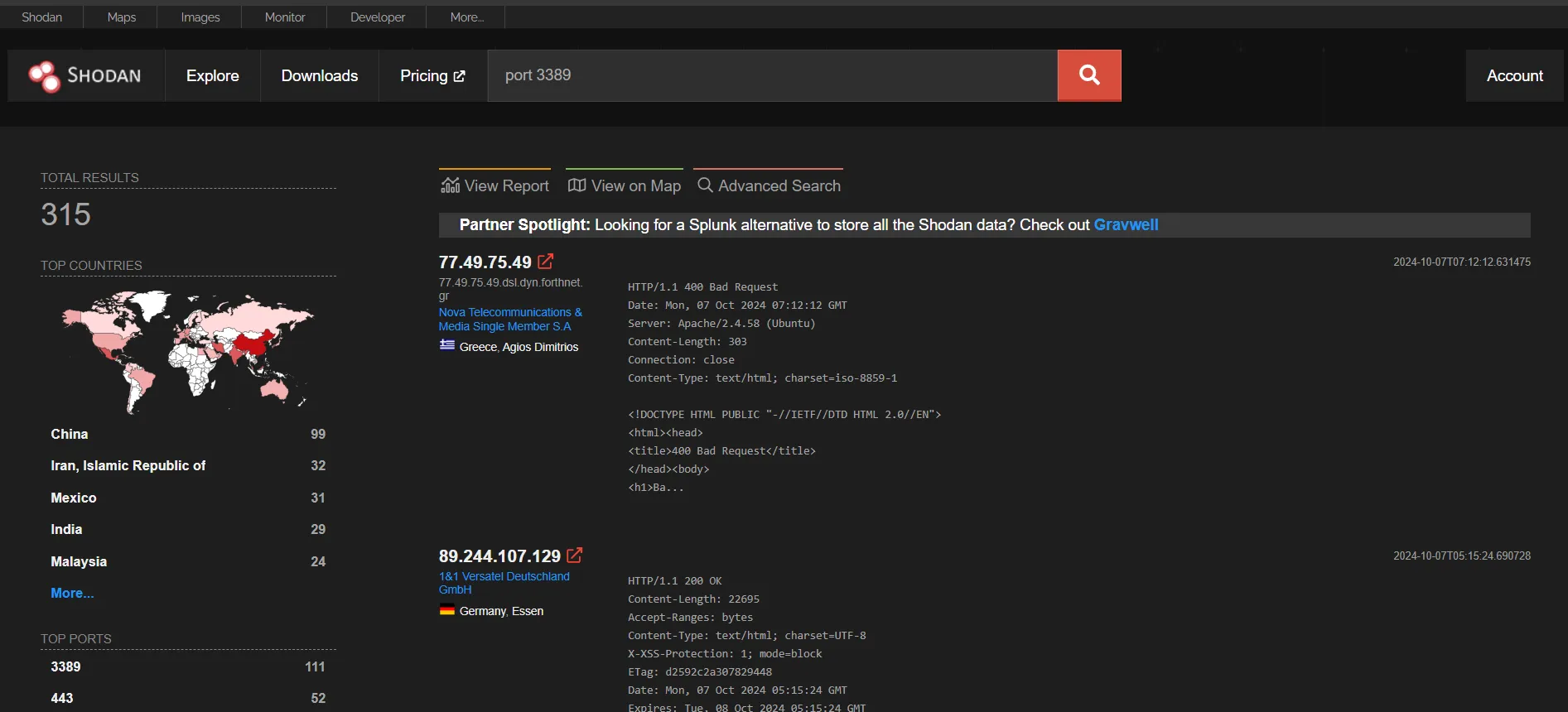
Upon searching for port 3389, I had found 315 exposed 3389 port from their database. We can check out details about the results by clicking on them and what service is running on that port. Since 3389 is the default for RDP traffic, a lot of these services were found to be running RDP on this port.
Censys
Let’s go to censys.com and search 3389. If we go down to Service Names and select RDP from there, we’ll be shown RDP traffic exposed on port 3389. I had found over 2.7M results on my search.
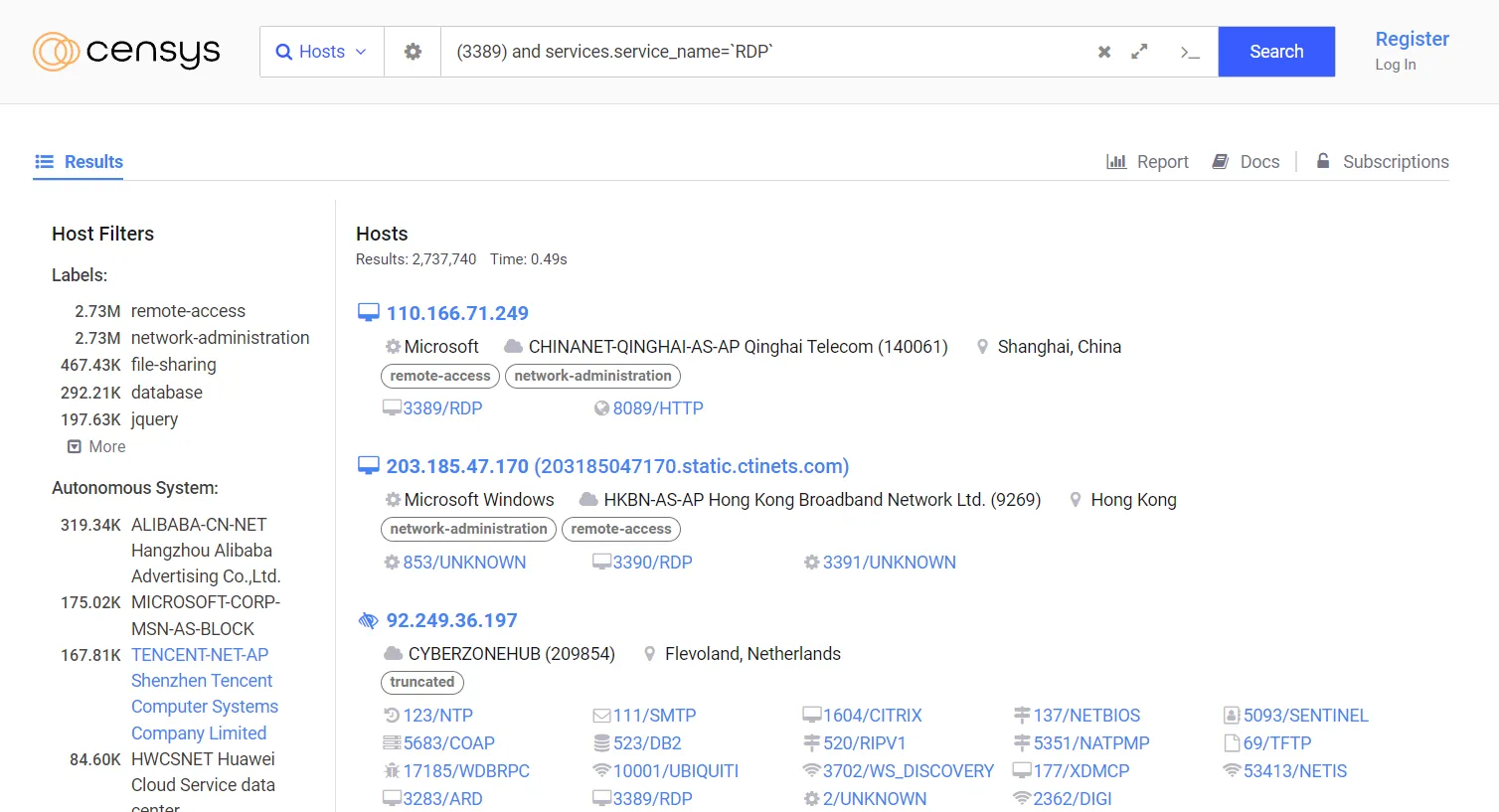
If we own the IP found in any of these results, the question for us shall be: Do we really need to expose RDP for our use case? If it is not essential for our use case, we should close it. Otherwise, we should put it behind a VPN. This exercise makes us identify our sensitive services exposed to the internet when it shouldn’t be. The more we are aware of this, the more we’ll be able to act faster to reduce the risk of a potential compromise.
If we do have a service exposed, we’ll need to investigate the authentication logs from the service in order to identify suspicious attempts.
How to protect ourselves from RDP abuse?
- Turn RDP off: For remote administration, developers often enable RDP during development phase. But they might forget to turn it off before moving to production. That’s why we need to regularly use Shodan and Censys to ensure tracking of services that are exposed to the internet.
- Multifactor Authentication: If applicable, MFA should be used everywhere to give us an additional layer of security.
- Restrict Access: Configure firewall rules to only let the relevant IP ranges into the server and/or put them behind a VPN so that only those who are connected to the organization’s VPN can RDP. By doing this, we can eliminate the majority of the internet trying to scan or brute force their way into our servers.
- Better passwords: Use strong password policies (15+ characters, special characters and uppercases and lowercases, numbers). Using of Privileged Access Management (PAM) tools that provide a one-time password.
- Change default accounts: Change the default account and if needed create a new administrator account that uses completely different usernames.