

Attack and Observe
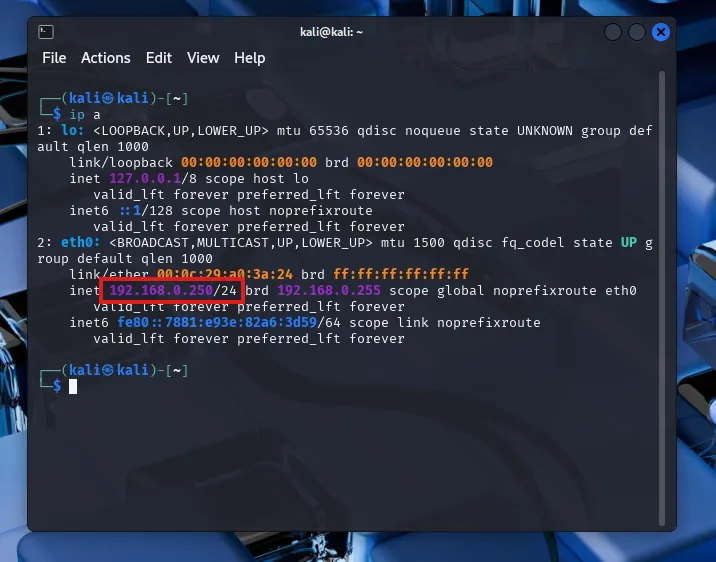
First, let’s spin up my Kali machine and log in using kali/kali (default). The VMWare image I’m using has DHCP assigned. But since I want a static IP, I’ve set it to Manual IP 192.168.0.250 for the machine
Let’s update the packages first before moving forward.
sudo apt-get update && sudo apt-get upgrade -yBrute force
I’m creating a new directory on kali Desktop with the name ad-project
cd Desktopmkdir ad-projectI’ll be using hydra for the brute force attack which comes preinstalled with kali.
I can choose to attack the DC or the Windows 11 target machine now. I’ll be using the rockyou list under /usr/share/wordlists/ for this attack. I need to unzip the .gz file first. Then copy the rockyou.txt file into my ad-project directory.
sudo gunzip rockyou.txt.gzcp rockyou.txt ~/Desktop/ad-projectcd ~/Desktop/ad-projectThe rockyou list contains a lot of passwords. I don’t want to use all of it. I’ll be taking the first 20 from the list and saving it in a separate passwords.txt file
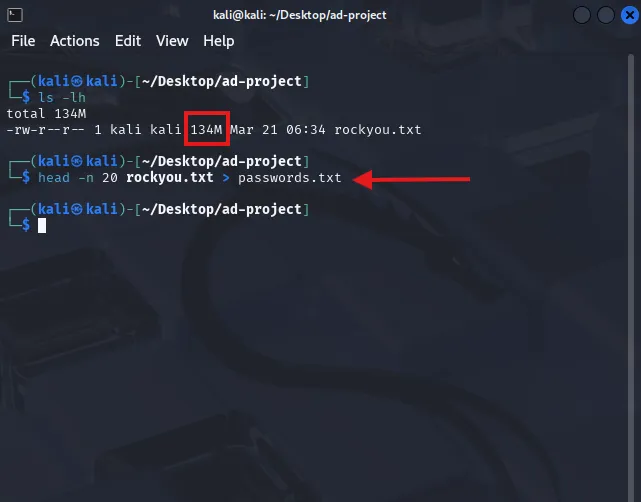
I am adding the passwords for user Bob and Alice in this list as well for the purposes of testing. If it were a real world attack, the password list may contain a lot of passwords. But as I already know the passwords, I am making it easier for me this way. The target machine IP on my network is 192.168.0.162
Let’s attack the machine using hydra. I am using Bob’s user logon and the passwords.txt list which contains Bob’s password
hydra -l bsmith -P passwords.txt rdp://192.168.0.162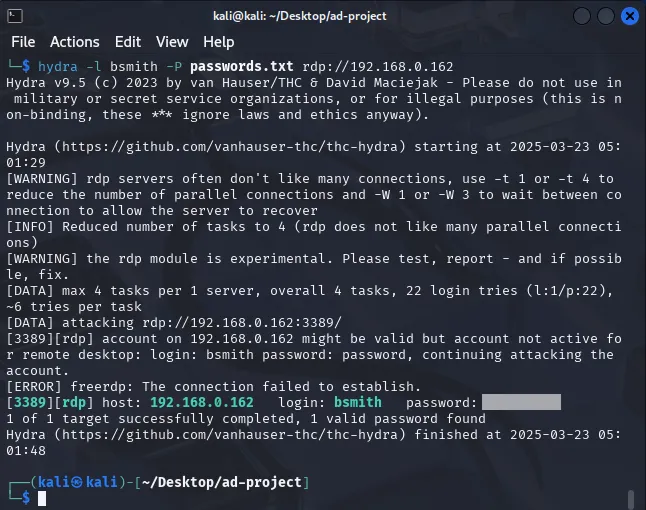
I have gotten a success from the brute force attempt with the password showing as above.
Observe telemetry
Let’s search for events only related to user bsmith on Splunk. I’m looking for events in the last 15 minutes.
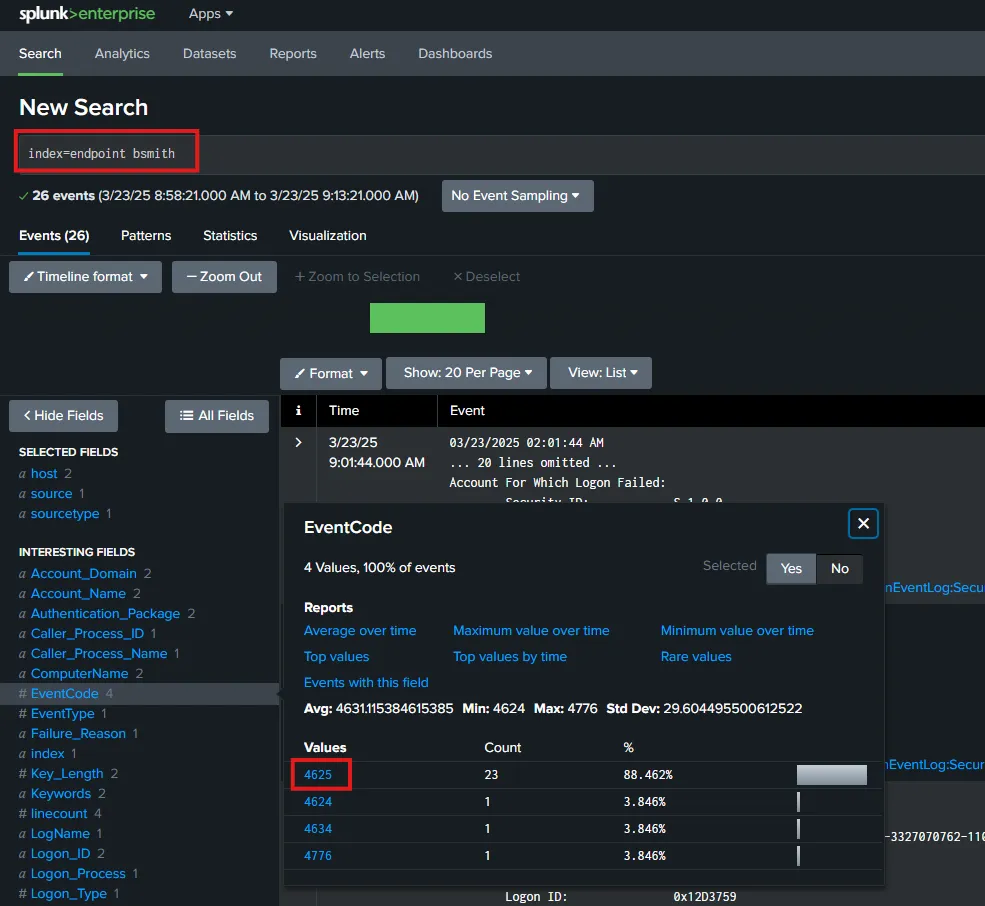
Here I can see that there are 23 events related to EventCode 4625 (failed logon).
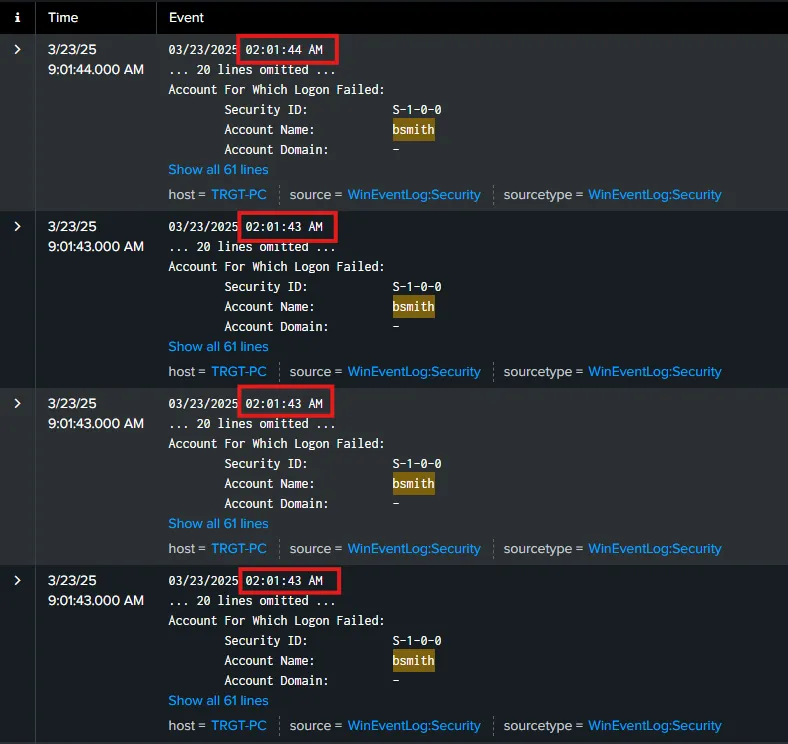
By having a look at the logs, I can see that all of the failed logons happened at the same time. Which is a clear indication of a brute force attack. Now let’s go ahead and search for EventCode=4624 to get logon success events.
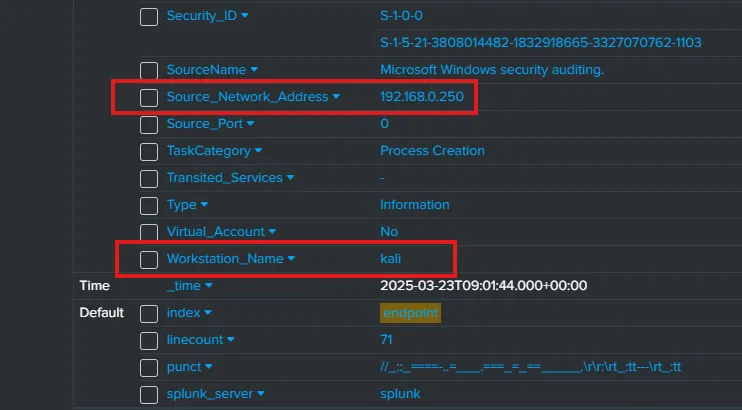
By looking at the latest successful logon event log, I can see that the Workstation which had the successful logon was kali and the IP address of the attacking machine is 192.168.0.250 which is indeed my kali machine that I have used for the brute force attack.
Atomic Red Team
Let’s install Atomic Red Team on the target machine to run some tests. I’m connecting to the target machine via Remote Desktop and launching Powershell as Administrator.
Set-ExecutionPolicy Bypass CurrentUserBefore installing Atomic Red Team, I’m going to exclude the whole C:\ drive from Windows Defender’s Virus & Threat Protection settings. I have to do this as Windows Defender will remove necessary files during or after installation which I don’t want.
To go ahead now with the installation, let’s run the following commands
IEX (IWR 'https://raw.githubusercontent.com/redcanaryco/invoke-atomicredteam/master/install-atomicredteam.ps1' -UseBasicParsing)
Install-AtomicRedTeam -getAtomics
Once the installation is completed, a folder AtomicRedTeam should be there on the C:\ drive path. Under the path C:\AtomicRedTeam\atomics I can see MITRE technique IDs listed.
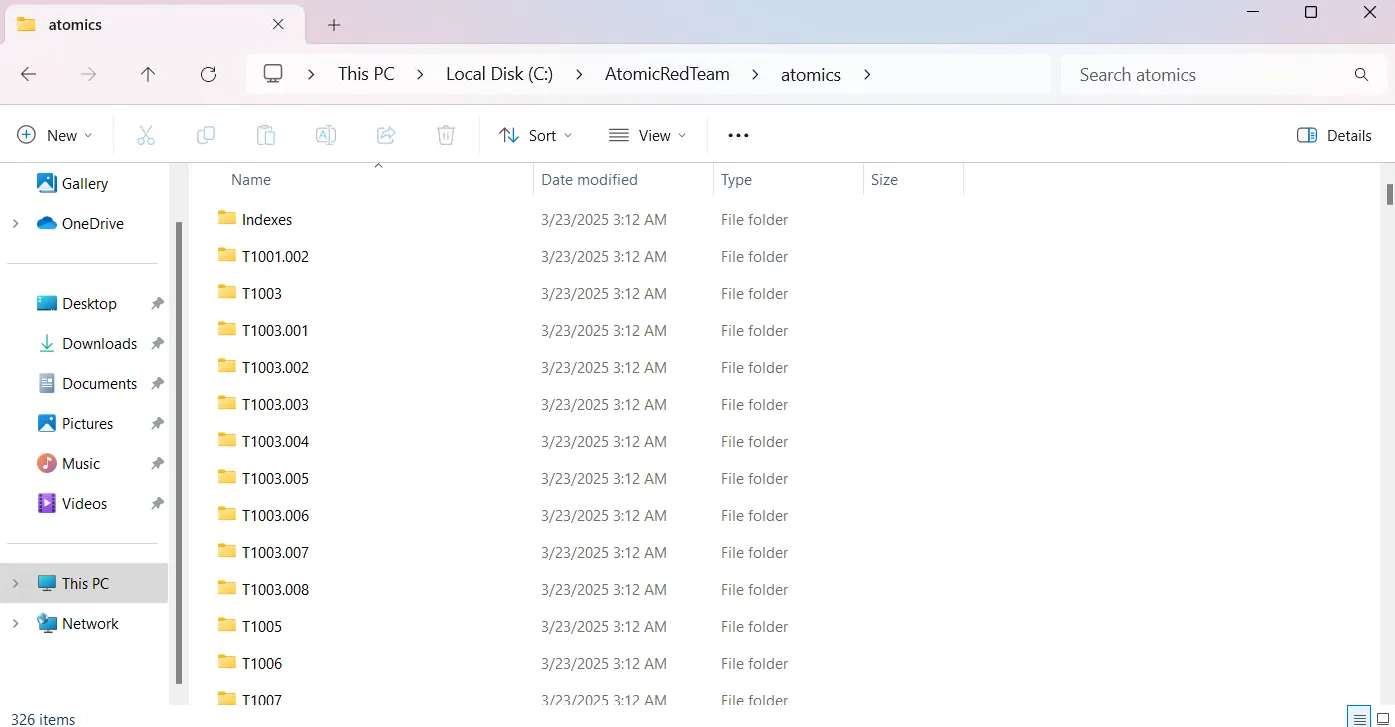
I can now run Invoke-AtomicTest command followed by a technique ID to run a test. From MITRE ATT&CK, I can see a technique for creating local account with ID T1136.001
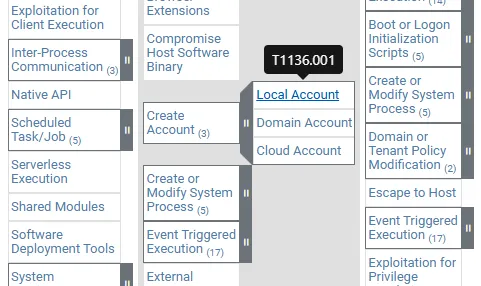
Let’s invoke this technique by running the following on the PowerShell window.
Invoke-AtomicTest T1136.001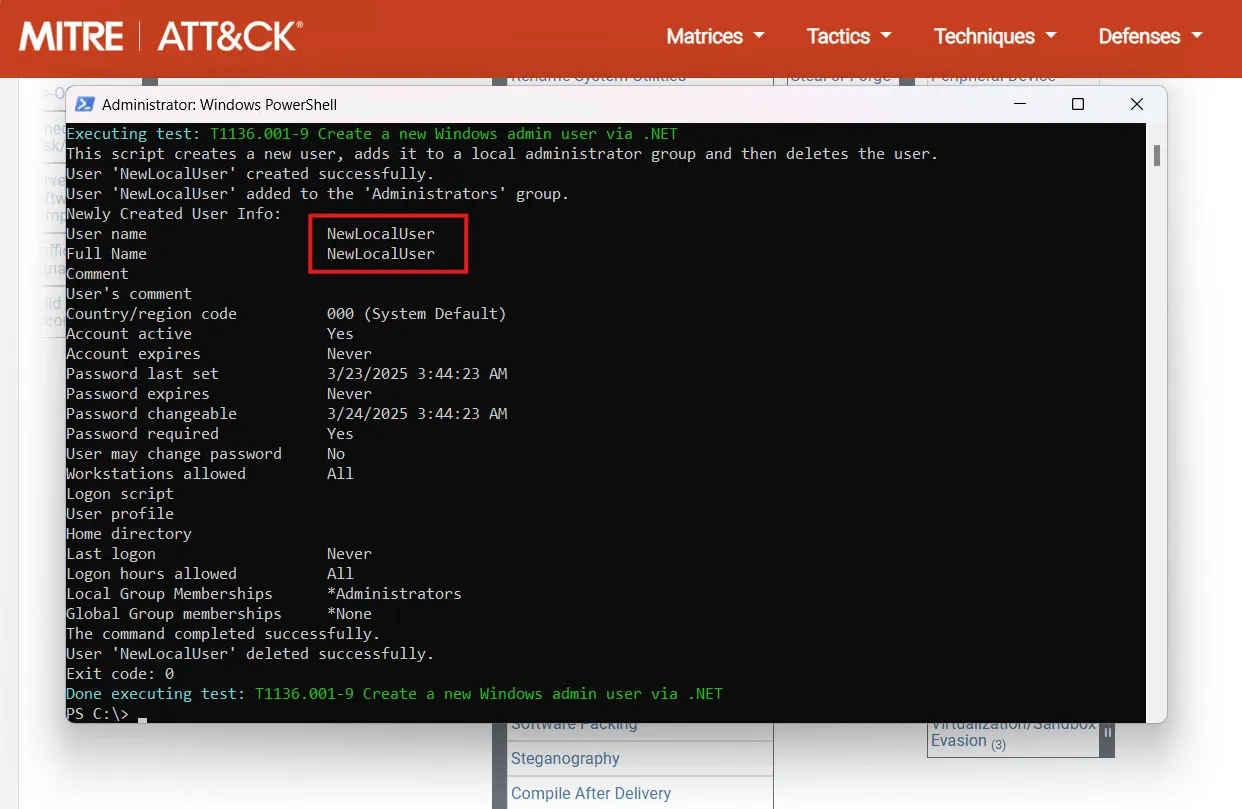
I can see from the results that the test has created a NewLocalUser admin user account and then deleted it. Let’s check for the generated logs on Splunk.
I am searching for index=endpoint NewLocalUser within the last 15 minutes. I am able to see 12 events relating to this.
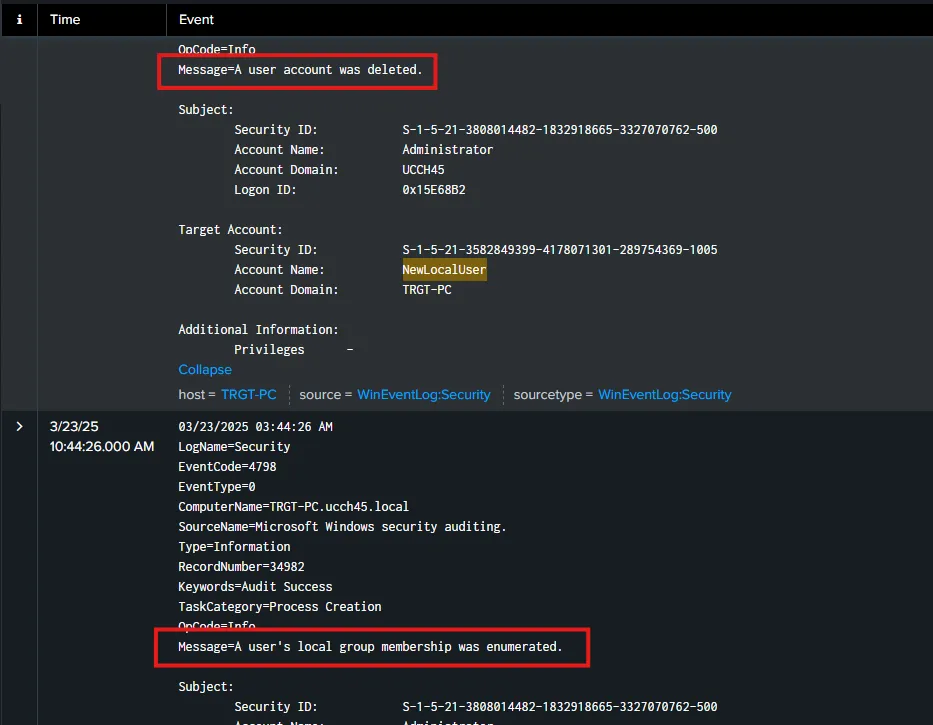
From the logs I can also spot the activities that happened including the creation of the user, adding the user to Administrator group and deletion of the user with associated timestamps.
Similarly, I can spot any unauthorized activity happening on the endpoints by checking the logs on Splunk. I may also create alerts based on the MITRE techniques. This allows me to monitor and analyze for various nefarious activities.